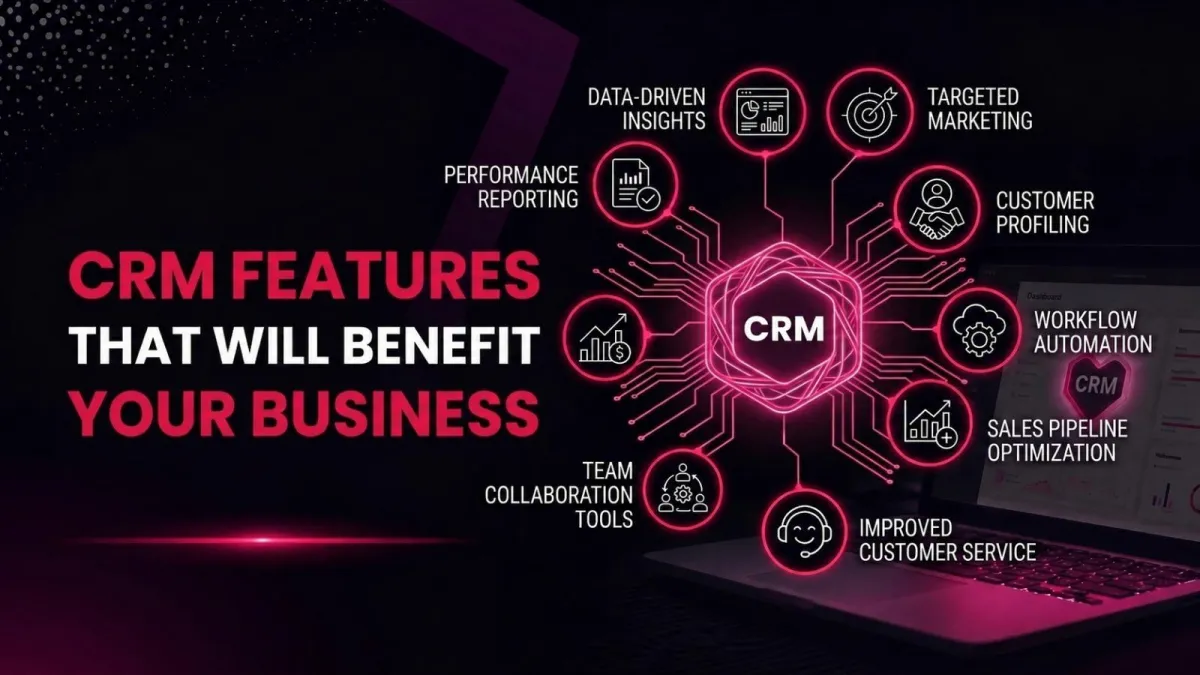
CRM Features That Will Benefit Your Business | Explained
When I first started helping small businesses pick a CRM, most people asked the same question: “Which one is the cheapest?” But after a few months, the question always changed to, “Why doesn’t it do what we need?” That’s when I learned that the real magic isn’t in the price tag, it’s in the CRM features you actually use.
You see, a customer relationship management system can be so much more than a digital Rolodex. The right CRM software acts like a co‑pilot for your entire team. It remembers things you forget, automates tasks you hate, and gives you superpowers you didn’t know you needed. So let me walk you through the CRM features that will genuinely benefit your business, no hype, no jargon, just real talk.
The Heart of Every CRM: Contact Management as a Single Source of Truth
Every CRM system starts with contact management. But not all contact management is created equal. The best CRM features turn your messy spreadsheet of names, emails, and sticky notes into one clean, reliable single source of truth.
Imagine never again asking, “Did anyone call that lead from last week?” or searching three different inboxes for a customer’s request. A solid CRM system stores every interaction, every email, every call, every meeting note, right next to the contact record. Your sales, support, and marketing teams all see the same information. That alone saves hours of wasted time.
Many modern CRM tools go further. They automatically capture email conversations, log phone calls, and even pull in social media interactions. You don’t have to type anything. You just work, and the CRM software quietly builds a complete history. For any growing business, this is the foundation that makes every other feature valuable.
Explore the most popular Types of CRM Systems and find the one built for your goals.
AI CRM: Your Smartest Teammate
Artificial intelligence used to sound like science fiction. Now, AI CRM is real, affordable, and surprisingly practical. The smartest CRM features today use predictive AI to spot patterns that humans miss. For example, AI sales forecasting can look at your past deals and tell you which current opportunities are likely to close, and which are just wasting your time.
Generative AI helps you write follow‑up emails that sound like you, while conversational AI can answer customer questions in a chat window at 2 AM. An AI‑powered CRM doesn’t replace your people; it makes them faster and more confident. I’ve seen sales teams double their productivity simply by letting AI customer service handle the repetitive, low‑value questions so humans can focus on complex problems.
Another brilliant AI CRM feature is intelligent customer insights. The system analyzes buying behaviour, email engagement, and support tickets to suggest the next best action. It might tell you, “This customer is likely to churn, offer them a discount,” or “This lead is ready to buy, call them today.” That’s like having a data scientist sitting next to you.
CRM Analytics and Reporting That Actually Make Sense
You probably have data everywhere. But data without insight is just noise. Great CRM analytics turns that noise into a clear picture of your business health.
CRM reports and dashboards show you what’s working and what’s not, without needing a spreadsheet wizard. You can see which sales reps are crushing their quotas, which marketing channels bring the best leads, and which customers need a check‑in. CRM analytics also helps you spot trends. Are deals taking longer to close this quarter? Is customer satisfaction dropping? You’ll know before it becomes a crisis.
The best CRM features in this category let you build custom CRM dashboards for each role. Your CEO sees revenue forecasts and pipeline health. Your sales manager sees individual performance and activity metrics. Your support lead sees ticket volume and response times. Everyone gets the information they need, not a firehose of numbers.
Discover which CRM approach delivers better scalability, flexibility, and ROI in Custom CRM Development vs. Off-the-Shelf CRM.
Cloud CRM and Mobile CRM Access
Remember when CRMs lived on a single computer in the back office? Those days are gone. A cloud‑based CRM lives on the internet, which means you can access it from your laptop, your tablet, or your phone. Cloud CRM also means no servers to maintain, no backups to run, and no IT headaches.
Mobile CRM access is a game‑changer for anyone who works outside an office. Your sales team can update a deal while sitting in a coffee shop. Your field service team can check customer history from a job site. Even your executives can review CRM reports and dashboards from an airport. Remote CRM access isn’t a luxury anymore; it’s a necessity.
A good SaaS CRM (software as a service) also scales with you. You start with a few users, add more as you grow, and never worry about buying another server. CRM scalability means your software grows with your business, not the other way around.
Workflow Automation – Stop Doing Repetitive Tasks by Hand
This is where CRM features start to feel like magic. Workflow automation lets you set up rules that trigger actions automatically. For example, when a lead fills out a form on your website, your CRM automation tools can send a welcome email, assign the lead to a salesperson, and create a task to follow up in two days, all without anyone lifting a finger.
Automated workflows can also handle internal processes. When a deal reaches the “contract sent” stage, the CRM system can notify the finance team to prepare an invoice. When a support ticket stays open for more than 48 hours, it can be escalated to a manager. You design the rules once, and then the CRM automation runs forever.
Benefits of CRM automation include fewer errors, faster response times, and happier customers. And because the CRM software does the boring stuff, your team has more energy for creative, high‑value work. That’s a win‑win.
Collaboration Tools That Break Down Silos
Have you ever lost a deal because marketing kept sending leads that sales ignored? Or because support didn’t know about a known product issue? Collaboration tools inside a CRM system fix that.
Modern CRM features include shared team calendars, internal notes, @mentions, and activity feeds. Your marketing team can see which leads sales actually liked. Your support team can see if a customer has an open sales deal. Your product team can see trending feature requests. Everyone works from the same unified customer profile.
Some CRM systems even integrate with Slack, Microsoft Teams, or email, so updates flow into your existing communication channels. This kind of business process automation turns your CRM into the central nervous system of your entire company.
Sales Features That Close More Deals
Let’s talk about the CRM features that directly drive revenue. Lead management helps you capture, score, and route leads to the right person. Lead qualification can be automated based on behaviour; someone who visits your pricing page three times is hotter than someone who just downloaded an ebook.
Sales opportunity management organizes your deals by stage, value, and probability. Pipeline management gives you a visual view of every deal, from first contact to closed won. You can drag and drop deals between stages, spot bottlenecks, and forecast revenue with confidence.
Sales forecasting uses historical data to predict future sales, so you can tell your boss or investors what to expect. Quote and order management lets you generate professional quotes, send them for e‑signature, and turn them into orders without leaving the CRM. For product‑based businesses, quote and order management saves huge amounts of manual data entry.
Sales performance tracking shows you which activities actually lead to closed deals. Did those cold calls work? Do demos convert better than proposals? You can stop guessing and start optimizing.
Marketing Features That Feel Like Cheating
The same CRM system that manages your sales pipeline can also power your marketing. Campaign management tools let you create email sequences, track opens and clicks, and measure ROI, all from the same database.
Marketing automation goes a step further. You can send personalized follow‑ups based on what a lead does or doesn’t do. Someone clicked your pricing page but didn’t book a demo? Send them a case study. Someone opened every email but never replied? Flag them for a sales call.
Journey orchestration maps out the entire customer experience from first click to loyal advocate. Personalized marketing becomes easy because you know exactly what each customer cares about. Campaign analytics show you which channels and messages deliver the best return. And because everything lives in the same CRM system, you can see exactly how marketing activities contribute to revenue, not just likes and opens.
CRM automation not working as expected? See the solutions in Common Challenges in CRM Automation.
Customer Service and Support Features That Build Loyalty
Your CRM shouldn’t stop working once a sale is made. The best CRM features for customer service turn support from a cost centre into a loyalty engine.
Omni‑channel support means your customers can reach you via email, chat, phone, social media, or SMS, and you see the entire conversation history no matter which channel they use. Customer self‑service portals allow customers to find answers, track orders, or update their info without waiting for an agent. A knowledge base and self‑service portal reduce support tickets by 30‑40% on average.
Field service tools help you schedule technicians, send them customer history, and close jobs faster. Customer support automation can automatically route tickets to the right person, send satisfaction surveys, and escalate urgent issues. AI customer service can even suggest solutions to agents based on similar resolved tickets.
Omni‑channel customer service ensures no customer ever has to repeat themselves. That’s the kind of experience that turns one‑time buyers into raving fans.
CRM Customization and Scalability
No two businesses are exactly alike. That’s why CRM customization is one of the most valuable CRM features. You should be able to add custom fields, rename stages, create unique workflows, and hide features you don’t use.
CRM scalability ensures that your system grows with you. A CRM for a small business might start with 5 users and basic features. But as you become an enterprise, you need enterprise CRM solutions with advanced security, higher limits, and dedicated support. The best CRM platforms let you start small and add features like third‑party integrations, as you need them.
Speaking of integrations, third‑party integrations connect your CRM to your email, calendar, accounting software, helpdesk, e‑commerce platform, and hundreds of other tools. CRM ERP integration is especially powerful because it links customer data with financial and operational data. Imagine seeing a customer’s order history, payment status, and support tickets all in one place.
CRM API integration allows your developers to build custom connections. Business software integration turns your CRM into the central hub of your entire tech stack.
Security and Data Protection You Can Trust
All these CRM features are useless if your data isn’t safe. Good CRM security includes encryption, role‑based access controls, audit logs, and compliance with regulations like GDPR or HIPAA.
CRM data security also means regular backups, multi‑factor authentication, and protection against unauthorized access. If you choose a cloud‑based CRM, the vendor handles physical security, network security, and software updates. That’s often more secure than anything a small business could run on its own.
For companies with strict compliance needs, some CRM systems offer on‑premise CRM solution options, though the cloud is now standard for most. Always ask about CRM security features before you buy.
A Quick Word on CRM vs ERP Key Differences
Sometimes people confuse CRM with ERP. Customer relationship management focuses on sales, marketing, and support, the front of your business. ERP handles back‑office operations like finance, inventory, and HR. CRM vs ERP isn’t a battle; many businesses use both, with CRM ERP integration connecting them. The CRM features we’ve discussed complement ERP without replacing it.
Which CRM Features Matter Most to You?
Here’s my honest advice: don’t try to buy every feature at once. Start with contact management, CRM analytics, and workflow automation. Once those are working well, add AI capabilities, mobile CRM access, and third‑party integrations as your team grows.
The main features of a CRM system that deliver the biggest ROI are usually the ones that solve your team’s most painful problem. Is it messy data? Focus on contact management and data platform unification. Is it slow follow‑ups? Prioritize CRM workflow automation and lead management. Is it poor visibility? Invest in CRM reports and dashboards.
The best CRM features for businesses like yours are the ones your team will actually use. A fancy AI‑powered CRM is worthless if everyone hates logging in. So involve your team in the decision, take advantage of free trials, and don’t be afraid to start simple.
AI features in modern CRM are exciting, but they work best when the basics are solid. CRM features for customer service can transform your support team, but only if you have clean, complete customer data first. CRM automation tools to boost sales productivity, automate workflows, but only if salespeople see value in using them daily.
Final Thoughts
Choosing a CRM can feel overwhelming because there are so many CRM features to consider. But remember: the best CRM software is the one that fits how your team actually works, not the one with the longest feature list.
Start with the CRM features that solve your biggest headache today. Use the CRM system for a few months. Then add more features as you discover new needs. The goal isn’t to automate everything on day one. The goal is to make your customers feel seen, your team feel supported, and your business run a little smoother every day.
And if you ever feel lost, just ask yourself: “Does this feature help me serve my customers better?” If yes, turn it on. If not, ignore it. That simple filter has never failed me.
Now go find the CRM features that will benefit your business, and enjoy the ride.
Frequently Asked Questions
What are CRM features?
CRM features are the specific tools and capabilities inside a customer relationship management system. They include contact management, sales pipeline tracking, automation, analytics, reporting, AI insights, mobile access, and many more.
What are the main features of a CRM system?
The main features typically include contact and lead management, sales opportunity tracking, workflow automation, reporting dashboards, email integration, task management, and customer support tools.
How does AI work in CRM?
AI in CRM analyzes your past customer data to predict future behaviour. It can forecast sales, suggest the next best action, automate responses, and surface insights that help teams prioritize their work.
What is contact management in CRM?
Contact management is the feature that stores every interaction with a customer or lead, emails, calls, meetings, notes, and documents, in a single, searchable record.
Why is CRM automation important?
Automation reduces manual work, eliminates errors, and ensures that follow‑ups and internal processes happen consistently. It frees your team to focus on high‑value tasks.
How does CRM improve productivity?
By centralizing information, automating repetitive tasks, and providing real‑time visibility into what needs to be done next, a CRM helps teams work faster with less confusion.
What are the benefits of cloud CRM?
Cloud CRM gives you access from anywhere, automatic updates, no hardware to maintain, predictable monthly costs, and easy scalability.
What is omni‑channel support in CRM?
Omni‑channel support means your customers can reach you through any channel, email, chat, phone, or social, and your team sees the full conversation history regardless of how the customer contacts you.
