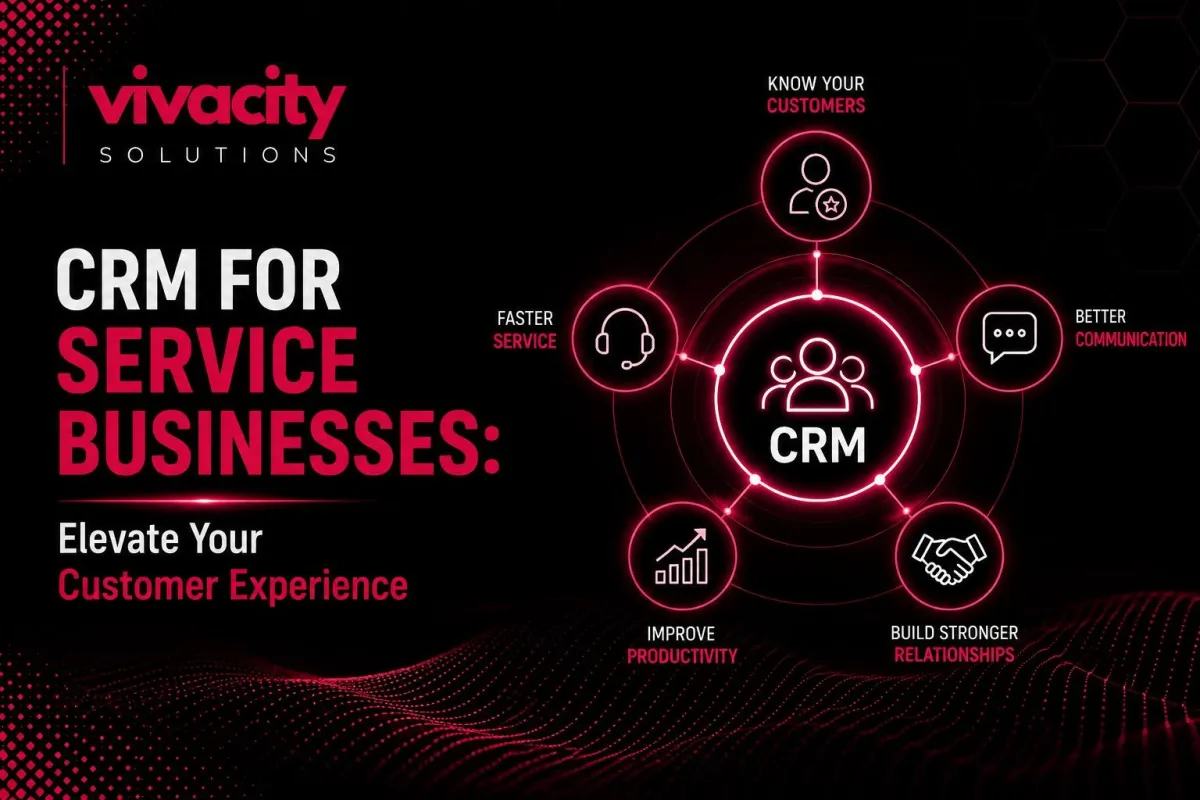
Best CRM for Service-Based Businesses: Elevate Your Customer Experience
Here is a question I get from service business owners almost every week. "Why do I need a CRM? I run a small agency. I know all my clients by name. My team uses spreadsheets and email. It works fine."
Then something happens. A client is upset because they never received a follow-up. Another client leaves because a competitor sent a personalized offer on the exact day their contract ended. A third client complains that three different people from your team asked them the same question. Suddenly, "fine" does not feel so fine anymore.
Service businesses are built on relationships. And relationships require memory. Not just your memory, but your whole team's memory. That is exactly why CRM for service businesses has become essential. In this guide, I will help you find the best CRM for service-based businesses so you can stop losing clients to forgetfulness and start delivering exceptional experiences every single time.
Why Service Businesses Need a CRM
Let me start with a simple truth. Customer Relationship Management (CRM) is not just for product companies with massive sales teams. In fact, service businesses need a CRM even more than product companies do. Here is why.
When you sell a product, the relationship often ends after the sale. The customer has the product. They might need support, but the core transaction is done. When you sell a service, the relationship is the product. Your client pays for ongoing attention, expertise, and follow-through. Every interaction matters. Every missed follow-up damages trust.
Service businesses face unique challenges that a good service business CRM solves. You need to track appointments, not just deals. You need to manage recurring service delivery, not just one-time purchases. You need to remember client preferences, past issues, and upcoming contract renewals. Spreadsheets and email cannot handle this at scale.
CRM for service businesses gives you a centralized system to manage every client interaction from first inquiry to ongoing service delivery to renewal and referral. It is the difference between running a reactive, chaotic operation and a proactive, professional service organization.
If you are new to CRM fundamentals, take a moment to read our guide on what is CRM and types of CRM systems before diving deeper.
What Makes the Best CRM for Service-Based Businesses?
Now let me answer the question you came here for. What is the best CRM for service-based businesses? The honest answer is that it depends on your specific type of service, team size, and budget. But the best CRM for a service business shares several common characteristics.
First, the best CRM for service-based businesses puts client information front and center. When you open a client record, you see everything: contact details, service history, upcoming appointments, open tickets, communication log, and any special preferences. No clicking through five screens to find basic information.
Second, the best CRM for service business automates the repetitive tasks that kill your team's productivity. Sending appointment reminders, following up after service delivery, requesting reviews, notifying clients about upcoming renewals. These should happen automatically, not from a manual to-do list.
Third, the best CRM for service-based businesses integrates with the tools you already use. Your calendar, your email, your billing software, your communication platforms. Integration turns your CRM software for service companies into the central hub of your entire operation, not just another silo.
Fourth, the best CRM for service business provides reporting that actually helps you make decisions. Which services are most profitable? Which clients are at risk of leaving? Which team members have the highest client satisfaction scores? Data-driven answers to these questions drive business growth.
Some top CRM solutions for service businesses include HubSpot Service Hub, Zoho CRM, Freshdesk, and Pipedrive. Each has strengths. But for many service companies, the absolute best CRM for service-based businesses is a custom-built solution tailored to their exact workflows.
Not sure which CRM fits your service business? Explore CRM Features and CRM Development Services to find or build the perfect solution.
Top Features to Look for in Service Business CRM
When you evaluate CRM for service businesses, here are the must-have features to prioritize.
Appointment Scheduling and Management
Your service management CRM must handle appointments. Not just calendar sync, but actual booking, rescheduling, cancellation, and reminder workflows. The best CRM for a service business lets clients book their own appointments through a branded portal. It sends automatic reminders via email and SMS. It updates your team's calendars in real time.
Client Management and Service Tracking
A client relationship management system for service businesses needs to track not just contacts but entire service histories. When a client calls, your team should see every past service, every past issue, every past conversation. This turns every interaction into a continuation of an ongoing relationship, not a fresh start.
Workflow Automation for Service Delivery
Workflow automation is where CRM for service businesses delivers massive time savings. Automate the steps between booking and delivery. When an appointment is scheduled, automatically assign the right team member, send them a prep checklist, add travel time to their calendar, and notify the client. After service delivery, automatically send a satisfaction survey and request a review.
Team Collaboration Tools
Service delivery rarely involves just one person. Your service business CRM should facilitate team collaboration. Shared calendars, internal notes on client records, task assignments, and real-time activity feeds keep everyone aligned. No more "I thought you were handling that."
Communication History
Every email, every phone call, every chat message, every text should be logged automatically against the client record. Manual logging does not happen. The best CRM for service-based businesses captures communication automatically through integrations with Gmail, Outlook, Slack, and phone systems.
Reporting and Analytics
CRM reporting and analytics for service businesses should answer specific questions. What is your client retention rate? How many appointments does each team member handle? What is the average response time? Which services have the highest satisfaction scores? These metrics drive operational efficiency and business growth.
Integration with Billing and Invoicing
Your CRM software for service companies must talk to your billing system. When a service is delivered, automatically generate an invoice. When a payment is received, automatically update the client record. When a client is past due, automatically pause new appointments. This CRM integration closes the loop between service delivery and revenue.
For more on automation and integration, read CRM automation tools , CRM integration , and Integrating CRM with Marketing Automation Tools.
Benefits of CRM for Service Businesses
Let me walk you through the specific benefits of CRM for service businesses that directly impact your bottom line.
Improved Client Retention
Client retention is the lifeblood of any service business. Acquiring a new client costs five to seven times more than retaining an existing one. A good service business CRM helps you retain clients by ensuring you never miss a follow-up, never forget a renewal, and always know the status of every relationship.
Higher Client Satisfaction
Client satisfaction improves when you deliver consistent, personalized service. Your CRM for service businesses stores client preferences, past issues, and communication history. Every team member has the same context. Clients do not have to repeat themselves. Problems get solved faster. That builds loyalty.
Increased Operational Efficiency
Operational efficiency comes from workflow automation and centralized information. Your team stops searching for client data across spreadsheets, emails, and sticky notes. They stop manually sending reminders and follow-ups. They spend their time delivering service, not managing paper.
Better Team Collaboration
Team collaboration improves when everyone works from the same customer management software. No more siloed information. No more "I did not know that the client had an issue." Your CRM system for service providers becomes the single source of truth for client relationships.
Data-Driven Decision Making
Data-driven decision making replaces guesswork. Which services are most profitable? Which clients are most likely to churn? Which team members have the highest client satisfaction scores? Your CRM analytics answers these questions with real data, not gut feelings.
Scalable Business Growth
Business scalability becomes possible when your client management processes are systematized. A CRM for small service businesses scales with you. The same workflows that work for fifty clients work for five hundred. You can grow without adding administrative overhead.
How to Choose the Best CRM for Your Service Business
Choosing the best CRM for service-based businesses for your specific situation requires a clear process. Here is how to do it.
Step 1: Define Your Core Needs
Start by listing the problems you need to solve. Are you losing clients because of missed follow-ups? Is your team wasting time on manual appointment reminders? Do you have no visibility into service delivery performance? Your needs determine your requirements.
Step 2: Identify Must-Have Features
Based on your needs, create a list of non-negotiable features. For most service businesses, must-haves include appointment scheduling, automated reminders, service history tracking, communication logging, and reporting.
Step 3: Evaluate Off-the-Shelf Options
Start with established CRM solutions for service businesses like HubSpot, Zoho, Freshdesk, and Pipedrive. Most offer free trials. Test them with real workflows. See which one feels natural to your team.
Step 4: Consider Custom CRM Development
If off-the-shelf options do not fit your unique workflows, consider custom CRM development. A custom CRM for service businesses is built exactly for your processes. No workarounds. No compromises. Yes, it costs more upfront, but it pays for itself in efficiency gains over time.
Step 5: Check Integration Capabilities
Your CRM integration with existing tools is critical. Does the CRM integrate with your calendar, email, billing system, and communication platforms? Without integration, you create new data silos instead of breaking down old ones.
Step 6: Involve Your Team
Your team will use the CRM every day. Involve them in the selection process. Demo shortlisted options with actual users. Their feedback is more valuable than any feature checklist.
Need expert guidance? Our CRM consulting services and CRM Development Partner can help you choose or build the perfect solution.
Custom vs. Off-the-Shelf CRM for Service Companies
Let me help you decide between off-the-shelf and custom CRM for service businesses.
Off-the-shelf CRM software for service companies works well for standard service models. If you offer a few service types, have simple scheduling needs, and use common workflows, an off-the-shelf solution is probably sufficient. HubSpot, Zoho, and Freshdesk serve millions of service businesses successfully.
However, if your service model is unique, off-the-shelf CRMs force you to adapt your business to the software. You end up with workarounds, manual processes, and frustrated teams. In this case, custom CRM development is the better investment.
Custom CRM for service businesses offers several advantages. Every feature matches your exact workflow. No training on "this is how the software wants you to do it." You also get faster performance, better integration with your proprietary systems, and the ability to add features as your business evolves.
The trade-off is cost and time. Off-the-shelf solutions can be set up in days for a few hundred dollars per month. Custom development takes months and costs tens of thousands of dollars. But for growing service businesses with complex needs, custom CRM pays for itself quickly through improved efficiency and client retention.
Custom CRM development services from experienced partners can deliver a solution that grows with you. If you are considering this path, read our guide on Custom CRM Development.
Explore CRM Development Services and CRM Development Partner options for custom solutions.
CRM Implementation Best Practices for Service Teams
Even the best CRM for service-based businesses will fail without proper implementation. Here are CRM implementation best practices for service teams.
Clean Your Existing Data First
Before migrating any client data to your new service business CRM, clean it. Remove duplicates. Standardize formats. Fill missing fields. Dirty data in a new system is still dirty data.
Start with Core Workflows
Do not try to automate everything at once. Start with your most painful, highest-value workflows. Appointment scheduling. Follow-up reminders. Service history tracking. Get these working perfectly. Then add more.
Train Every User
Your team cannot use what they do not understand. Provide live, hands-on training. Create quick-reference guides. Record video tutorials. Answer questions patiently. Adoption is the difference between success and failure.
Integrate Slowly
CRM integration with other systems should happen incrementally. Connect your calendar first. Then your email. Then your billing system. Test each integration thoroughly before adding the next.
Monitor and Optimize
After launch, monitor usage and error rates. Review reports weekly. Ask your team what is working and what is not. Optimize workflows based on real feedback. An implemented CRM is not finished. It is a living system.
Real-World Examples: CRM for Different Service Industries
Let me give you specific examples of how CRM for service businesses works across different industries.
CRM for Professional Services Firms
Law firms, accounting practices, and consulting agencies use CRM for professional services firms to track client engagements, manage billable hours, automate invoice generation, and monitor contract renewals. The best CRM for service-based businesses in this space includes robust time tracking and billing integration.
CRM for Home Services
Plumbers, electricians, landscapers, and cleaning companies need service management CRM with strong mobile capabilities. Technicians in the field need to access client information, update job status, and collect payments from their phones. Appointment scheduling and route optimization are critical features.
CRM for Health and Wellness
Personal trainers, therapists, coaches, and wellness practitioners need CRM for client management that handles recurring appointments, package tracking, and client progress notes. Privacy and security compliance are essential.
CRM for Creative Agencies
Marketing agencies, design firms, and video production companies need CRM for small service businesses that track project milestones, manages client feedback, and automates proposal-to-invoice workflows. Collaboration tools are critical.
If you operate in a specific niche, you might also find value in our industry-specific guides: CRM for Recruitment Agencies and CRM for Educational Institutes .
For a curated list of top options, check out top 10 CRM automation tools in 2026 .
Final Thought
The best CRM for service-based businesses is not the one with the most features. It is the one that fits your specific workflows, that your team actually uses, and that helps you deliver better client experiences consistently.
Your clients trust you with their most important needs. They deserve a team that remembers them, follows through on promises, and makes every interaction feel personal. A good CRM for service businesses makes that possible at scale.
Start today. Define your needs. Evaluate your options. Clean your data. Train your team. The investment in CRM software for service companies will pay for itself many times over through higher client retention, better team efficiency, and sustainable business growth.
Ready to elevate your customer experience? Explore CRM automation services, CRM reporting, and analytics. Also, check CRM-ERP Integration and How Generative AI Is Transforming Modern CRM Systems for advanced strategies.
FAQs
What is the best CRM for service-based businesses?
The best CRM for service-based businesses depends on your specific needs. Top options include HubSpot Service Hub for all-around capabilities, Zoho CRM for customization, Freshdesk for support-focused teams, and custom-built CRMs for unique workflows.
Why do service businesses need a CRM?
Service businesses need a CRM to manage client interactions, track service delivery, automate follow-ups, schedule appointments, and centralize customer data. This improves client satisfaction, retention, and operational efficiency.
What features should a service business CRM have?
Key features include appointment scheduling, client management, service tracking, workflow automation, team collaboration tools, communication history, CRM reporting and analytics, and integration with billing systems.
Can a small service business afford a CRM?
Yes. Many CRM for small service businesses start at $15-50 per month. Free tiers are available from providers like HubSpot. Custom CRM development has a higher upfront cost but offers tailored features for growing businesses.
How does a CRM improve customer experience in service businesses?
A CRM improves customer experience by ensuring no client falls through the cracks, sending automated appointment reminders, tracking service history, and enabling personalized communication based on past interactions.
What is the difference between CRM and service management software?
Service management software focuses on operational tasks like dispatching and job tracking. CRM for service businesses focuses on client relationships, communication, and retention. The best solutions combine both.
How long does it take to implement a CRM for a service business?
Off-the-shelf CRM implementation for a service business typically takes one to four weeks. Custom CRM development takes two to six months, depending on complexity. Clean data and user training are the biggest variables.
Can I integrate my CRM with my existing tools?
Yes. Most modern CRM software for service companies offers CRM integration with calendars, email platforms, billing systems, and communication tools through native connectors or iPaaS solutions.
What is custom CRM development for service businesses?
Custom CRM development means building a CRM system for service providers from scratch or on a low-code platform to match your exact workflows. It costs more upfront but eliminates workarounds and manual processes.
How do I measure CRM success for my service business?
Measure CRM success through metrics like client retention rate, average response time, appointment no-show rate, team adoption rate, and client satisfaction scores. Your CRM analytics should track these automatically.
