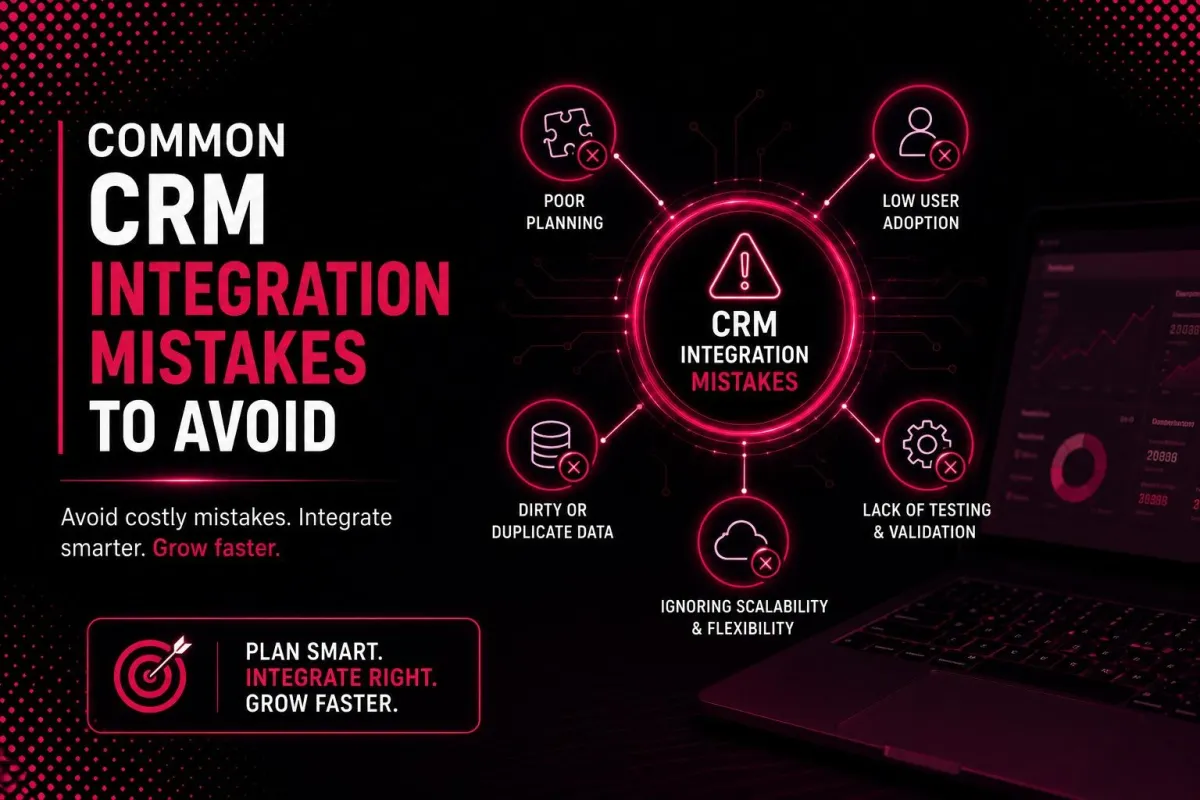
Common CRM Integration Mistakes | Data & Workflows
Here is a confession I hear from business owners all the time. "We spent thousands of dollars connecting our CRM to our other systems. Now nothing works right. Duplicate records everywhere. Wrong data in wrong fields. Nobody trusts the system anymore."
I cannot tell you how many times I have watched companies make the same CRM integration mistakes over and over again. They buy the tools. They hire the consultants. They connect the systems. And then they wonder why their customer relationship management implementation feels worse than before they started.
The truth is that CRM software integration is not magic. It is engineering. And like any engineering project, there are known failure modes. Avoid these CRM integration mistakes, and you will save yourself months of frustration and thousands of dollars in rework.
Why CRM Integration Mistakes Cost More Than You Think
Before I walk you through the specific CRM integration mistakes, let me explain why they matter so much. CRM integration is supposed to make your business more efficient. It connects your CRM platform to your other business applications so data flows automatically. No more manual entry. No more copy-paste errors. No more siloed information.
But when you make CRM integration mistakes, the opposite happens. Your data synchronization breaks. Your workflow automation fails. Your teams lose trust in the data. Instead of saving time, everyone spends more time cleaning up messes. Instead of improving data accuracy, you spread errors across more systems. Instead of operational efficiency, you create operational chaos.
The good news is that most CRM integration mistakes are avoidable. The even better news is that I am going to tell you exactly what they are and how to avoid them.
If you are new to CRM integration, take a moment to read our guide on what is CRM and what is crm integration before diving into mistakes.
New to CRM? Start with what is CRM and the types of CRM systems to build your foundation.
Skipping Data Cleansing Before Integration
This is the single most common CRM integration mistake, and it is also the most destructive. Companies connect their CRM systems to other platforms without first cleaning their existing data. Then they watch in horror as dirty data spreads everywhere.
Here is what I mean. Your CRM platform probably has duplicate records. It probably has incomplete fields. It probably has outdated information. Some of your customer records might have typos. Some might use different naming conventions. Some might be missing critical fields.
When you perform CRM software integration without cleaning this data first, you synchronize the dirt. Every connected system now has the same duplicates, the same incomplete fields, the same outdated information. You have not solved your data problem. You have multiplied it.
The fix is simple but not easy. Before any CRM integration, audit your data. Deduplicate records. Standardize naming conventions. Fill critical missing fields. Remove inactive or irrelevant records. This takes time and effort. But skipping it is the number one CRM integration mistake that leads to failure.
Customer data is the foundation of everything. If your foundation is cracked, everything built on top will crack too. Take the time to clean your data before you integrate. You will thank yourself later.
Integrating Everything at Once
Another classic CRM integration mistake is trying to connect every system at the same time. Your CRM systems need to talk to your ERP systems, your eCommerce platforms, your marketing automation tools, your accounting software, your customer support systems, and your analytics platforms. That is a lot of connections.
Companies that attempt a "big bang" integration almost always fail. The complexity is overwhelming. When something goes wrong, it is impossible to tell which connection caused the problem. Teams get frustrated. Deadlines slip. Budgets balloon. And in many cases, the whole project gets abandoned.
The fix is to start small. Connect the two systems first. Get them working perfectly. Then add a third. Then a fourth. This approach is called incremental integration, and it is the opposite of a CRM integration mistake.
Start by integrating your CRM platform with your marketing automation tools. Once that data synchronization is solid, add your customer support systems. Then add your ERP systems. Each step builds on the previous one. Problems are isolated and easy to fix. Your team learns as they go. Success builds momentum.
Enterprise integration does not have to happen all at once. In fact, trying to do it all at once is a guaranteed way to fail. Start small. Win small. Then scale.
For more on integration strategy, read CRM integration and Integrating CRM with Marketing Automation Tools.
Neglecting User Training and Buy-In
Here is a CRM integration mistake that has nothing to do with technology and everything to do with people. Companies build beautiful integrated systems with perfect workflow automation. Then they tell their teams to start using them. And nobody does.
Why? Because people resist change. Your sales team has its way of working. Your customer support team has its habits. Your marketing team has its processes. If you force a new integrated system on them without training and buy-in, they will find ways to work around it. They will keep using spreadsheets. They will keep manual records. They will ignore the automation.
The fix is to involve end users from the beginning. Before you even start your CRM integration, talk to the people who will use it every day. What problems do they want solved? What workflows are most painful? What would make their jobs easier?
When you design your automated workflows, show the users. Get their feedback. Incorporate their suggestions. When you are ready to launch, provide real training. Not a PDF manual. Not a recorded webinar. Live, hands-on training where users can ask questions and practice.
Business automation only works when people trust it and use it. That trust is built through involvement and training. Neglecting this is one of the most expensive CRM integration mistakes you can make.
Looking for help with user adoption? Our CRM Development Services and CRM Development Partner guides can help.
Ignoring Scalability from Day One
This CRM integration mistake is subtle but deadly. Companies build an integration that works perfectly for their current volume. But they do not think about what happens when they grow. Six months later, they have doubled their customer base. Their integration platform is choking on the volume of data. Syncs that used to take seconds now take hours. Errors are everywhere.
The fix is to design for scale from the beginning. When you choose your integration platform, look at maximum data volumes, not just current ones. When you design your data synchronization rules, consider how they will perform with 10 times as many records. When you build your workflow automation, consider how it will handle peak loads.
Scalable CRM integration requires thinking about rate limits, batch sizes, and error recovery. Your CRM platform has API limits. Your other business applications have API limits. Your integration platform has its own limits. Understand all of them before you build.
Also, plan for a system integration that can grow with you. An iPaaS solution that works for a hundred thousand records might fail at a million. A direct point-to-point connection that works for two systems becomes unmanageable at ten. Choose an integration architecture that scales.
A scalable integration strategy is not an afterthought. It is a core design principle. Ignore it, and you will be rebuilding your integration in a year.
For more on choosing the right integration approach, read CRM-ERP Integration and CRM vs ERP.
Poor Data Mapping and Field Matching
Here is a CRM integration mistake that causes endless frustration. Companies connect their systems without carefully mapping how data fields correspond between them. The result is chaos.
Let me give you an example. Your CRM platform has a field called "Account Name." Your ERP systems have a field called "Company." Your marketing automation tools have a field called "Organization." These three fields mean the same thing, but they have different names. Without proper data mapping, your integration does not know that.
Poor data mapping leads to data ending up in the wrong fields, data getting lost entirely, duplicate records being created, and integrated systems that nobody trusts.
The fix is to create a comprehensive data mapping document before you write any integration code. List every field that will sync between systems. For each field, specify the source field, the destination field, and any transformation rules. Test your mapping with a small sample before scaling.
Customer records are only valuable if they are consistent across connected systems. Take the time to map your fields correctly. This is boring work. But skipping it is a CRM integration mistake you will regret.
No Error Handling or Monitoring
Another common CRM integration mistake is assuming everything will always work perfectly. Integrations fail. APIs go down. Networks glitch. Data formats change. When these things happen, your integration needs to handle errors gracefully.
Without proper error handling, a failed sync can go unnoticed for days or weeks. Meanwhile, your customer data is out of sync. Your workflow automation is not triggering. Your teams are working from stale information. By the time someone notices, the damage is done.
The fix is to build error handling into your integration from the start. Decide what happens when a sync fails. Should the integration retry automatically? How many times? What should happen to the failed record? Should someone be notified?
Also build monitoring into your integration platform. Set up alerts for failed syncs. Monitor sync duration and data volumes. Review error logs regularly. An integration that is not monitored is an integration that will eventually fail silently.
Real-time data synchronization is great when it works. But when it fails, you need to know immediately. Build error handling and monitoring before you go live. This is not optional. It is essential.
For more on technical best practices, read CRM Features and CRM automation tools.
Forgetting About Ongoing Maintenance
Here is a CRM integration mistake that catches almost everyone off guard. Companies treat integration as a one-time project. They build it, launch it, and move on. Six months later, something breaks. Nobody knows how to fix it. The original developers have moved on. Documentation is missing. Chaos ensues.
The truth is that system integration is not a project. It is an ongoing capability. APIs change. Your business applications release updates. Your business processes evolve. Your data volumes grow. Your integration must evolve with all of these changes.
The fix is to plan for ongoing maintenance from day one. Assign ownership of your integration to a specific person or team. Document everything: data mapping, workflow logic, sync schedules, error handling rules. Schedule regular reviews of integration health and performance. Budget for maintenance, not just initial build.
Connected systems require care and feeding. If you treat integration as a one-time project, you are making a CRM integration mistake that will cost you dearly. Plan for the long term.
CRM integration services often include ongoing maintenance packages. If you do not have internal expertise, consider outsourcing this responsibility. The cost of maintenance is almost always less than the cost of recovering from a failed integration.
Choosing the Wrong Integration Method
The final CRM integration mistake I see most often is choosing the wrong integration method for your needs. Companies either over-engineer or under-engineer their integration, and both paths lead to problems.
Under-engineering means using a simple point-to-point connection when you need a more robust integration platform. Your business grows. You add more systems. Your simple connections become an unmanageable spiderweb. Changing one connection breaks three others.
Over-engineering means building a custom API integration platform when a simple iPaaS solution would work fine. You spend months and hundreds of thousands of dollars on something that could have been set up in a week for a few hundred dollars per month.
The fix is to honestly assess your needs. How many systems do you need to connect? How complex are your workflow automation requirements? What is your internal technical expertise? What is your budget?
For most small and medium businesses, an iPaaS solution like Zapier, Workato, or Tray.io is the right choice. These integration platforms offer pre-built connectors, drag-and-drop workflow automation, and reasonable pricing.
For large enterprises with dozens of systems and complex requirements, a custom API integration platform might be necessary. But even then, consider building on top of an iPaaS solution rather than starting from scratch.
Choosing the wrong integration platform is an expensive CRM integration mistake. Do your homework before you commit.
For help choosing the right integration method, read CRM integration and CRM-ERP Integration.
How to Build a Scalable Integration Strategy
Now that I have told you what not to do, let me tell you what to do instead. Building a scalable integration strategy is not complicated, but it does require discipline.
Start with a clear goal. What business problem are you trying to solve with CRM integration? Faster order processing? Better lead management? Improved customer support? Your goal determines everything else.
Clean your data before you integrate. This is not optional. Deduplicate. Standardize. Fill gaps. Your customer information is the fuel for your integration. Dirty fuel breaks engines.
Start small. Connect two systems. Get them working perfectly. Then add a third. Then a fourth. Incremental success builds momentum.
Document everything. Your data mapping. Your workflow automation logic. Your sync schedules. Your error handling rules. Your maintenance procedures. In the future, you will be grateful.
Involve your users. Get their input. Provide training. Build trust. An integration that nobody uses is a waste of money.
Scale plan. Choose an integration platform that can grow with you. Design data synchronization that handles volume. Build flexible workflow automation.
Monitor continuously. Set up alerts. Review logs. Catch problems before they become disasters.
Maintain forever. Treat integration as an ongoing capability, not a one-time project. Budget for maintenance. Assign ownership.
Business automation through CRM integration is one of the best investments you can make. But only if you avoid the CRM integration mistakes I have outlined here.
Ready to build your integration strategy? Explore CRM Development Services , CRM automation services , and CRM Development Partner options.
Final Thought
CRM integration mistakes are expensive. They waste time. They destroy data. They frustrate teams. But here is the good news. Every single one of these mistakes is avoidable.
Clean your data first. Start small. Involve your users. Scale plan. Map your fields carefully. Build error handling. Maintenance plan. Choose the right integration method.
Do these things, and your CRM software integration will succeed. Your customer data will be accurate. Your workflow automation will work. Your teams will trust the system. Your business will run more efficiently.
The companies that get CRM integration right have a massive advantage over those that get it wrong. They respond to customers faster. They make better decisions. They grow more quickly.
Do not let CRM integration mistakes hold you back. Learn from the errors of others. Build your integration the right way. Your future self will thank you.
Ready to integrate without the mistakes? Read How Generative AI Is Transforming Modern CRM Systems , generative AI in CRM , CRM and marketing automation , and Integrating CRM with Marketing Automation Tools to build a complete, connected tech stack.
FAQs
What are the most common CRM integration mistakes?
The most common CRM integration mistakes include skipping data cleansing before integration, integrating too many systems at once, neglecting user training, ignoring scalability, poor data mapping, inconsistent field definitions, no error handling, and a lack of ongoing maintenance.
Why do CRM integrations fail?
CRM integrations typically fail due to dirty data, unclear goals, lack of stakeholder buy-in, insufficient testing, choosing the wrong integration method, or failing to plan for ongoing maintenance and a scalable integration strategy.
How can I avoid CRM integration mistakes?
Avoid CRM integration mistakes by cleaning your data first, starting with a small pilot integration, mapping all fields carefully, documenting everything, involving end users early, testing thoroughly, and planning for scalability from day one.
What is the biggest mistake in CRM integration?
The biggest CRM integration mistake is skipping data cleansing before integration. Integrating dirty data spreads errors across all connected systems, making the problem worse instead of better.
How important is data mapping in CRM integration?
Data mapping is critically important. Poor data mapping is one of the most common CRM integration mistakes. Without proper mapping, data ends up in the wrong fields, gets lost entirely, or creates duplicates across integrated systems.
What is the best integration method for small businesses?
For most small businesses, an iPaaS solution like Zapier, Workato, or Tray.io is the best choice. These integration platforms offer pre-built connectors, drag-and-drop workflow automation, and reasonable pricing without requiring custom development.
How often should I maintain my CRM integration?
CRM integration requires ongoing maintenance. Review your integration health monthly. Test after any system updates. Update data mapping as business needs change. Treat integration as an ongoing capability, not a one-time project.
Can I fix CRM integration mistakes after they happen?
Yes, most CRM integration mistakes can be fixed, but it is more expensive than doing it right the first time. Start by auditing your current integration, identifying the specific mistakes, and creating a remediation plan. Clean your data, fix your data mapping, and rebuild your workflow automation step by step.
How do I know if my CRM integration is working correctly?
A healthy CRM integration has accurate data synchronization across all connected systems, no unexplained duplicate records, workflow automation that triggers correctly, error rates below one percent, and users who trust the data.
What is scalable CRM integration?
Scalable CRM integration means your integration can handle increasing data volumes, more connected systems, and more complex workflow automation without breaking. It requires choosing the right integration platform and designing for growth from day one.
