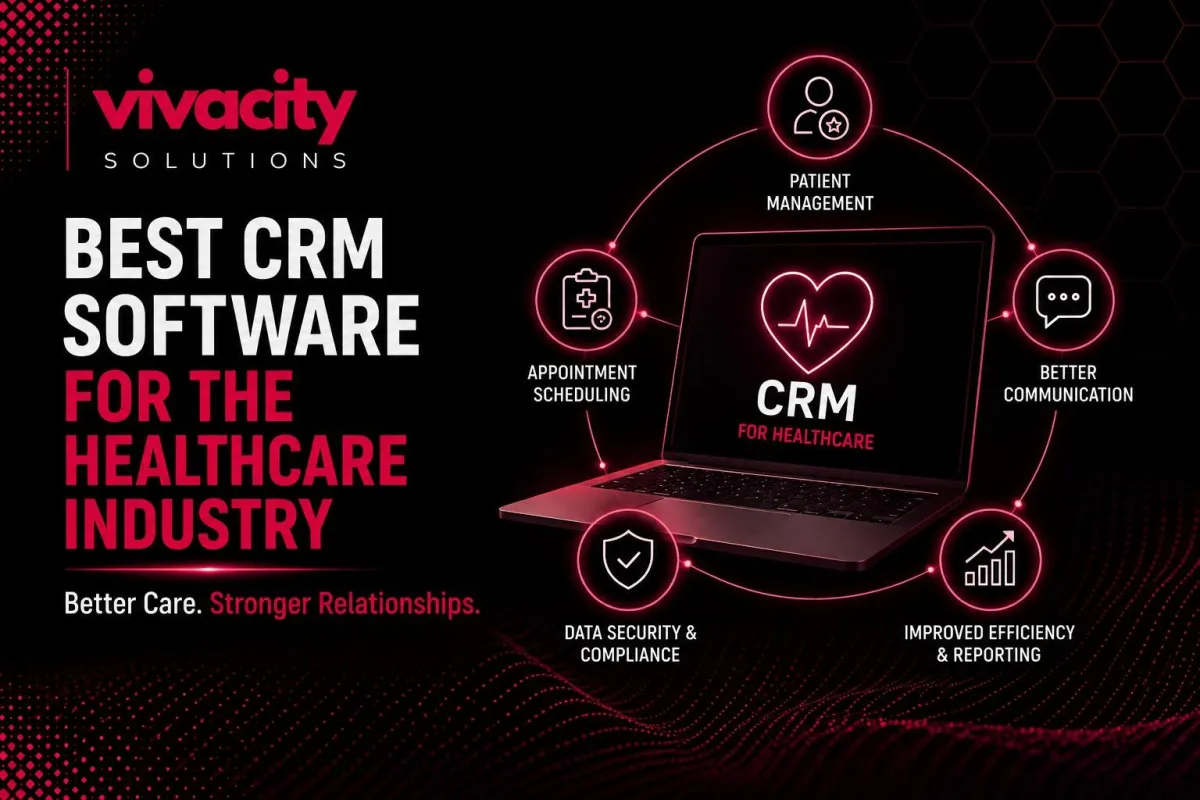
CRM for Healthcare Providers: Improve Patient Engagement
Here is a story I hear from healthcare administrators almost every week. "Our hospital has thousands of patients. We have their medical records in our EHR. But we have no idea who missed their last appointment, who never picked up their prescription, or which patients are at risk of leaving for another provider. We are losing patients, and we do not even know why."
Healthcare has changed. Patients no longer stay with a provider just because the provider is nearby. They expect personalized communication, convenient scheduling, and proactive follow-ups. They shop for healthcare as they shop for everything else. And if you are not using CRM for healthcare providers, you are losing patients to competitors who do.
In this guide, I will help you understand what makes the best CRM for healthcare providers, what features to look for, and how to choose the right healthcare CRM software for your organization.
What is CRM for Healthcare Providers?
Let me start with a clear definition. CRM for healthcare providers is specialized customer relationship management in healthcare software designed to manage patient interactions across the entire care journey. Unlike generic CRMs, healthcare CRM software is built to handle sensitive patient data, comply with HIPAA regulations, and support patient relationship management workflows.
Patient relationship management goes beyond simple contact storage. A healthcare CRM tracks every patient touchpoint: appointment history, medication adherence, communication preferences, care plan progress, and feedback. It helps providers move from reactive, episodic care to proactive, continuous patient engagement.
The best CRM for healthcare providers acts as a central hub that connects patient data from your electronic health records, billing systems, marketing tools, and communication platforms. It gives you a complete, 360-degree view of each patient. And that visibility transforms how you deliver care.
If you are new to CRM fundamentals, take a moment to read our guide on what is CRM and the types of CRM systems before diving deeper.
Why Healthcare Needs a Specialized CRM
You might wonder, "Why can't I just use a regular CRM for my medical practice?" The answer is simple. Healthcare is different. Here is why CRM for healthcare is a distinct category.
First, healthcare deals with sensitive patient data. Regular CRMs are not built to meet the security and privacy requirements of HIPAA. Using a non-compliant system puts you at risk of massive fines and reputation damage. Healthcare CRM software is designed with patient data security as the foundation.
Second, the patient journey in healthcare is complex and long. A patient might interact with your hospital across multiple departments: primary care, specialty clinics, labs, pharmacy, and billing. A regular CRM cannot track this multi-touch, multi-department journey. Patient relationship management software does.
Third, healthcare outcomes are measured differently. You care about clinical outcomes, care adherence, readmission rates, and patient satisfaction scores. Generic CRMs measure sales pipeline and deal stages. Healthcare CRM solutions are built around care metrics.
Fourth, healthcare workflows are unique. Appointment scheduling, prescription refill requests, lab result notifications, pre-visit instructions, and post-visit follow-ups. These are not standard sales or support workflows. A medical CRM automates these healthcare-specific processes.
For a deeper comparison of how different systems work together, read CRM vs ERP.
Not sure which system fits your healthcare organization? Explore CRM Features and CRM integration.
Key Features of Healthcare CRM Software
When you evaluate healthcare CRM software, here are the must-have features to prioritize. These healthcare CRM features separate a true healthcare solution from a generic tool.
HIPAA Compliance and Data Security
This is non-negotiable. Your CRM for healthcare providers must sign a Business Associate Agreement, encrypt all patient data at rest and in transit, provide audit logs of every access, and enforce role-based access controls. Ask every vendor for their HIPAA compliance documentation before you even schedule a demo.
Appointment Scheduling and Automated Reminders
A core function of patient management is handling appointments. Your healthcare CRM should allow patients to book online, reschedule, and cancel. It should send automated reminders via email and SMS to reduce no-shows. It should sync with your practice calendar in real time.
Patient Engagement and Communication Hub
Patient engagement requires consistent, personalized communication across multiple channels. Your CRM for healthcare should centralize secure messaging, email, SMS, and phone call logs. It should enable two-way communication so patients can ask questions and receive answers without playing phone tag.
Medical History and Care Journey Tracking
Medical history management is critical. Your healthcare CRM software should store patient demographics, past appointments, diagnoses, medications, allergies, and care plans. The care journey management feature should show every touchpoint over time, not just isolated events.
Workflow Automation for Healthcare Processes
Healthcare workflow automation saves your staff hours every day. Automate pre-visit instructions, prescription refill requests, lab result notifications, post-visit surveys, and recall reminders for annual checkups. The best CRM for healthcare providers lets you build custom automation rules for your specific workflows.
Healthcare Reporting and Analytics
Healthcare analytics should answer questions that matter to your organization. What is your patient no-show rate by department? Which patient segments have the highest readmission rates? What is your patient lifetime value? How effective are your patient acquisition campaigns? Your healthcare CRM should provide these insights automatically.
Integration with EHR and Billing Systems
CRM integration with your electronic health records and billing systems is essential. Patient data should flow both ways. An appointment booked in the CRM should appear in the EHR. A diagnosis recorded in the EHR should update the patient record in the CRM. Without integration, you create data silos instead of breaking them down.
For more on automation and integration, read CRM automation tools, Integrating CRM with Marketing Automation Tools, and CRM-ERP Integration.
Top Healthcare CRM Solutions for 2026
Let me give you an overview of leading healthcare CRM solutions available today.
Salesforce Health Cloud
Salesforce Health Cloud is widely considered the best CRM for healthcare providers at the enterprise level. It offers comprehensive patient management, care journey tracking, and healthcare analytics. It integrates with major EHR systems like Epic and Cerner. It is expensive and complex, but unmatched for large hospital systems.
HubSpot for Healthcare
HubSpot offers a healthcare-focused version of its CRM with HIPAA compliance features. It is excellent for patient engagement, marketing automation, and appointment management. It works well for mid-sized medical practices and clinics.
Zoho CRM with Healthcare Add-Ons
Zoho CRM can be configured for healthcare with custom modules for patient management, appointment scheduling, and secure communication. It is affordable and flexible, making it a good choice for small to medium private practices.
Custom Healthcare CRM Development
For organizations with unique workflows, custom healthcare CRM development is the best option. A custom CRM for healthcare providers is built exactly to your specifications, integrates perfectly with your existing systems, and scales with your growth. It costs more upfront but pays for itself in efficiency and patient retention over time.
If you are considering a custom solution, read our guide on Custom CRM Development.
Need help choosing or building the right solution? Explore CRM Development Services, CRM Development Partner, and Healthcare CRM Consulting Services.
Benefits of CRM for Healthcare Organizations
Let me walk you through the specific healthcare CRM benefits that directly impact your organization.
Improved Patient Acquisition
Patient acquisition becomes more efficient when you track where your patients come from. Which marketing channels drive the most new patients? Which referral sources produce the highest lifetime value? Your CRM for healthcare answers these questions with data, not guesses.
Higher Patient Retention
Patient retention is critical in healthcare. A patient-centric CRM helps you stay connected with patients between visits. Automated appointment reminders reduce no-shows. Personalized follow-ups after discharge improve care adherence. Birthday and wellness check reminders show patients you care. All of this builds loyalty.
Enhanced Patient Experience
Patient experience improves dramatically when your team has complete patient context at every interaction. No more asking patients to repeat their medical history. No more confusion about past appointments. Your healthcare CRM gives every staff member the information they need to serve patients effectively.
Reduced Administrative Burden
Your clinical staff should spend time with patients, not on paperwork. Healthcare workflow automation handles appointment reminders, prescription refill requests, lab result notifications, and patient surveys automatically. Your staff stops doing repetitive tasks and starts delivering care.
Better Clinical Outcomes
Clinical outcomes improve when patients are engaged. Patients who receive automated appointment reminders miss fewer appointments. Patients who get post-discharge follow-ups have lower readmission rates. Patients who receive personalized health education adhere better to care plans. Your CRM for healthcare providers drives all of these behaviors.
HIPAA Compliance Assurance
Using a HIPAA-compliant CRM gives you peace of mind. You know that patient data is encrypted, access is logged, and your organization is protected from compliance violations. This alone is worth the investment.
HIPAA Compliance: Non-Negotiable for Healthcare CRM
Let me emphasize this because it is critical. Any CRM for healthcare providers you use must be HIPAA compliant. Here is what that means.
First, the CRM software vendor for healthcare must sign a Business Associate Agreement with your organization. This is a legal contract that holds them responsible for protecting patient data.
Second, the healthcare CRM platform must encrypt all patient data at rest and in transit. This includes data stored on their servers and data transmitted between systems.
Third, the system must provide audit logs that track every access to patient records. You need to know who viewed what data and when.
Fourth, the healthcare CRM system must enforce role-based access controls. A receptionist should not see the same data as a physician. A marketer should not see clinical notes.
Fifth, the vendor must have a breach notification process in place. If patient data is compromised, you need to know immediately.
Do not assume that a CRM is HIPAA compliant just because the vendor says "secure." Ask for their HIPAA documentation. Check their Business Associate Agreement. Verify their encryption standards.
For more on data security and integration, read CRM integration mistakes and what is crm integration.
How to Choose the Best CRM for Your Practice or Hospital
Choosing the best CRM for healthcare providers for your organization requires a structured approach. Here is a step-by-step process.
Step 1: Assess Your Organization's Needs
Start by listing your biggest patient management pain points. Are you struggling with no-shows? Is patient communication fragmented? Do you have no visibility into patient retention? Your needs determine your requirements.
Step 2: Identify Must-Have Features
Based on your needs, create a list of non-negotiable features. For most healthcare organizations, must-haves include HIPAA compliance, appointment scheduling, automated reminders, secure messaging, and EHR integration.
Step 3: Evaluate Off-the-Shelf Options
Start with established healthcare CRM vendors like Salesforce Health Cloud, HubSpot for Healthcare, and Zoho CRM. Request demos. Test with real patient workflows. See which one feels natural to your team.
Step 4: Consider Custom Healthcare CRM Development
If off-the-shelf options do not fit your unique workflows, consider custom healthcare CRM development. A custom CRM for hospitals or private practices is built exactly for your processes. No workarounds. No compromises.
Step 5: Verify HIPAA Compliance
Before signing any contract, get HIPAA compliance documentation. Review the Business Associate Agreement. Check encryption standards. Confirm audit logging and access controls.
Step 6: Check Integration Capabilities
Your healthcare CRM integration with existing EHR, billing, and communication systems is critical. Without integration, you create new data silos. Ask vendors about pre-built connectors and API access.
Step 7: Involve Your Team
Your clinical and administrative staff will use the healthcare CRM every day. Involve them in the selection process. Demo options with actual users. Their feedback is more valuable than any feature checklist.
Need expert guidance? Our Healthcare CRM Consulting Services, Healthcare CRM Vendor evaluation, and CRM Development Partner can help you choose or build the perfect solution.
CRM Integration with EHR and Other Systems
CRM integration with your electronic health records (EHR) is essential for healthcare digital transformation. Here is why.
When your healthcare CRM and EHR are integrated, patient data flows both ways automatically. An appointment booked in the CRM appears in the EHR schedule. A diagnosis recorded in the EHR updates the patient record in the CRM. Lab results sent to the EHR trigger patient notifications from the CRM. No manual data entry. No missing information.
Integration also enables healthcare automation across systems. When a patient misses an appointment, the CRM can automatically trigger a rescheduling outreach. When a patient is discharged, the CRM can start a post-discharge follow-up sequence. When a patient's medication refill is due, the CRM can send a reminder.
EHR integration is not always easy. Different vendors use different APIs. Some EHR systems are legacy systems not designed for modern integration. But the best healthcare CRM platform vendors offer pre-built connectors for major EHR systems like Epic, Cerner, Allscripts, and Athenahealth.
For more on integration strategies, read CRM integration, CRM integration mistakes, and Integrating CRM with Marketing Automation Tools.
For advanced integration, explore Healthcare CRM Integration Services and CRM-ERP Integration.
Real-World Use Cases of Healthcare CRM
Let me give you specific examples of how CRM for healthcare providers works in practice.
Use Case 1: Reducing No-Shows at a Multi-Specialty Clinic
A large clinic was losing over twenty percent of revenue to patient no-shows. They implemented a healthcare CRM with automated appointment reminders. Patients received SMS and email reminders at 48 hours and 2 hours before appointments. No-shows dropped to under eight percent. The system paid for itself in three months.
Use Case 2: Improving Post-Discharge Follow-Up at a Hospital
A hospital had high readmission rates for heart failure patients. They used a patient relationship management software to automate post-discharge check-ins. Patients received daily texts asking about symptoms. If a patient reported concerning symptoms, the system alerted a nurse. Readmissions dropped by twenty-five percent.
Use Case 3: Patient Acquisition for a Private Practice
A private dental practice wanted to grow. They used healthcare CRM software to track patient acquisition sources. They discovered that their best patients came from local Facebook ads, not from Google. They reallocated the budget accordingly and increased new patient volume by forty percent.
If you operate in other service industries, you might also find value in our guide on CRM for service-based businesses.
Final Thought
The best CRM for healthcare providers is not the one with the most features. It is the one that fits your specific workflows, that your team actually uses, and that helps you deliver better patient care consistently.
Patients today expect the same convenience from healthcare that they get from every other industry. They want online booking, text reminders, and personalized communication. They want a provider who remembers them and follows up proactively. A good healthcare CRM makes all of this possible.
Do not let your organization fall behind. Start today. Assess your needs. Evaluate your options. Verify HIPAA compliance. Train your team. The investment in CRM software for healthcare will pay for itself through higher patient retention, better clinical outcomes, and more efficient operations.
Ready to transform patient relationships? Explore CRM automation services , generative AI in CRM, and How Generative AI Is Transforming Modern CRM Systems.
FAQs
What is CRM for healthcare providers?
CRM for healthcare providers is specialized software that helps medical practices, hospitals, and clinics manage patient relationships, track care journeys, automate appointment scheduling, and improve patient engagement while maintaining HIPAA compliance.
What is the best CRM for healthcare providers?
The best CRM for healthcare providers depends on your organization's size and needs. Top options include Salesforce Health Cloud for enterprise, HubSpot for Healthcare for mid-sized practices, Zoho CRM for small practices, and custom healthcare CRM development for unique workflows.
Is Salesforce a good CRM for healthcare?
Yes, Salesforce Health Cloud is a leading healthcare CRM solution designed specifically for providers. It offers patient management, care journey tracking, and healthcare analytics with enterprise-grade security.
What features should healthcare CRM software have?
Essential healthcare CRM features include HIPAA compliance, appointment scheduling, automated patient reminders, medical history tracking, secure messaging, patient engagement tools, healthcare reporting and analytics, and integration with EHR systems.
Is a CRM HIPAA-compliant?
Not all CRMs are HIPAA compliant. Healthcare CRM software must sign a Business Associate Agreement, use encryption for data at rest and in transit, provide audit logs, and have strict access controls. Always verify HIPAA compliance before choosing a vendor.
How does CRM improve patient engagement?
A patient relationship management system improves patient engagement by enabling automated appointment reminders, personalized health education, post-visit follow-ups, secure two-way messaging, and proactive outreach for preventive care.
Can a small private practice afford a healthcare CRM?
Yes. Healthcare CRM for private practices starts at affordable monthly subscriptions. Some vendors offer plans specifically for small practices. Custom healthcare CRM development has a higher upfront cost but can be cost-effective for growing practices.
What is the difference between EHR and CRM?
EHR (Electronic Health Record) focuses on clinical data: diagnoses, medications, lab results, and treatment plans. CRM for healthcare focuses on patient relationship data: appointments, communication history, satisfaction, retention, and engagement. They work best when integrated.
How long does it take to implement a healthcare CRM?
Healthcare CRM implementation for an off-the-shelf solution typically takes four to twelve weeks, depending on customization and integration needs. Custom healthcare CRM development takes three to nine months.
What is custom healthcare CRM development?
Custom healthcare CRM development means building a healthcare CRM platform from scratch or on a low-code platform to match your exact patient management workflows, integrate with your specific EHR system, and meet your unique compliance requirements.
