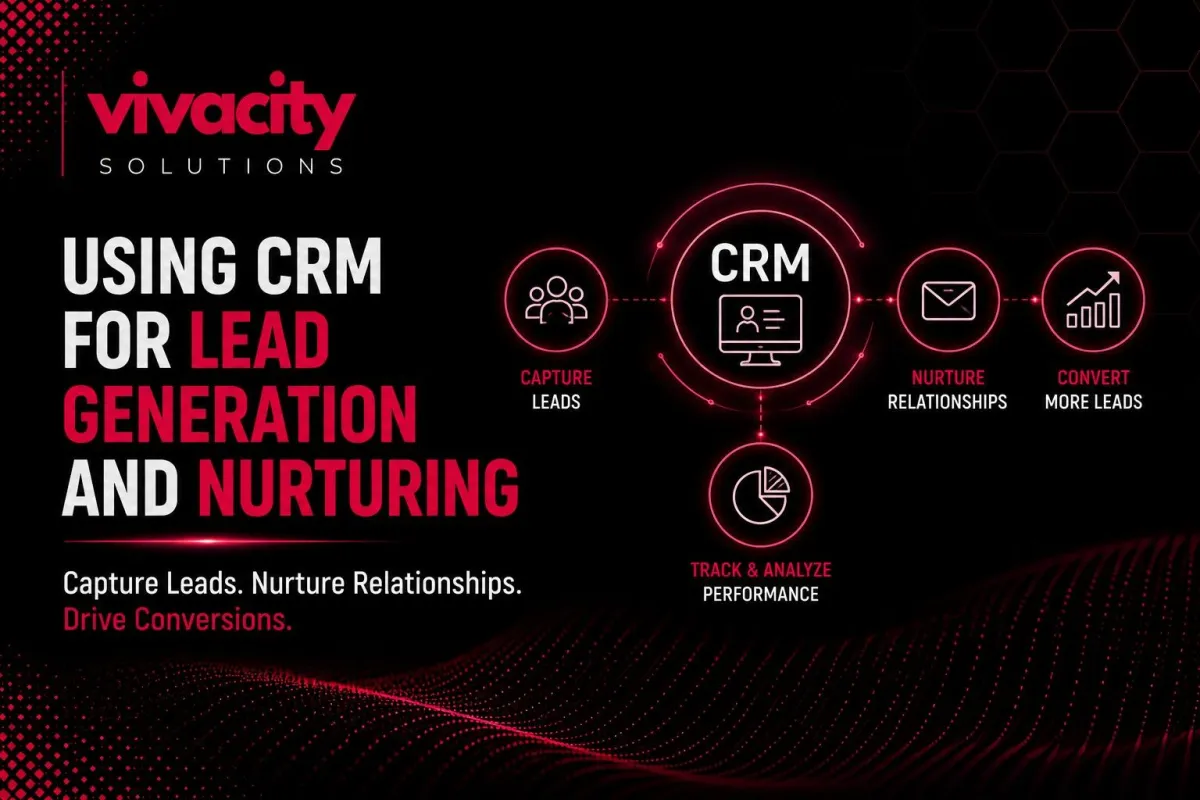
Using CRM for Lead Generation and Nurturing
Here is a scene I see far too often. A marketing team runs a brilliant campaign. Leads pour in from the website, LinkedIn, and a webinar. But then… nothing happens. Someone exports the leads to a spreadsheet. Someone else tries to send a generic email blast. A few follow-ups go out randomly. Most leads go cold. The sales team complains about “low quality.” Marketing blames sales for “not following up.”
This breakdown costs businesses thousands of lost opportunities every month. The missing link is a system that not only captures leads but also nurtures them intelligently. That system is a CRM for lead generation.
In short: Using CRM for lead generation automates capture, enriches data, scores leads with AI, nurtures prospects, and tracks performance – all in one place. This turns more strangers into customers.
This guide uses real-world examples and current AI features to help you pick the right CRM for lead generation in 2026.
Written by Michael, CRM Strategy Lead at Vivacity Solutions. I have helped dozens of B2B and B2C companies build lead generation and nurturing workflows that increased conversion rates by over 30%.
What Is a CRM for Lead Generation?
A CRM for lead generation is not just a database of contacts. It is an active engine that captures, qualifies, manages, and nurtures potential customers throughout their journey from first click to closed deal.
Traditional lead generation tools might capture a name and email address. But lead generation CRM goes many steps further. It automatically enriches that contact with company data, social profiles, and past interactions. It scores the lead based on behavior. It triggers personalized follow-ups. It alerts your sales team at exactly the right moment.
Without CRM software dedicated to lead management, your marketing and sales teams work from different spreadsheets, miss follow-ups, and waste time on unqualified prospects. With a lead management software built into your CRM, you have a single source of truth that turns strangers into customers.
If you are new to CRM fundamentals, start with our guide on what is CRM and the types of CRM systems.
How CRM Automates Lead Capture and Data Enrichment
The first step in using CRM for lead generation is capturing leads wherever they appear. Your website forms, landing pages, chatbot conversations, webinar registrations, social media messages, and even offline business cards can all feed directly into your CRM.
Lead capture forms embedded on your site can automatically create new contact records in the CRM. No manual data entry. No delay. The instant someone fills out a “Download Whitepaper” form, the CRM knows about them.
But capture is only half the battle. Raw lead data is often incomplete. You have a name and email, but no company, job title, or phone number. Data enrichment software inside the CRM automatically fills in missing information from public databases and social profiles. This saves your sales team hours of research.
CRM integrations make capture seamless. You can connect your CRM to Facebook Lead Ads, LinkedIn Lead Gen Forms, Google Ads, and even WhatsApp. Every lead, from every channel, lands in one place.
For example, a WhatsApp CRM integration allows you to capture leads from WhatsApp conversations. A Facebook CRM integration pulls lead form submissions directly into your lead generation CRM. No copy-paste.
Once a lead is in the system, contact management features keep everything organized. You can add tags, assign ownership, and track source. This rich customer data management becomes the foundation for everything that follows.
For more on automation, explore CRM automation tools and CRM integration.
How Does AI Lead Scoring Improve Sales?
Not all leads are equal. Some will buy in a week. Others will take six months. Many will never buy. Your sales team cannot afford to treat them all the same. That is where AI-powered lead scoring transforms CRM for lead generation.
Traditional lead scoring uses rules you write manually: “Download a case study = 10 points.” This works, but it is static. AI lead scoring learns from your historical data. It analyzes hundreds of signals – email opens, page visits, job title, company size, past purchase behavior – and predicts which leads are most likely to convert.
An AI-powered CRM constantly updates lead scores in real time. A prospect who visits your pricing page twice in one day gets an immediate score bump. A lead who ignores three emails gets a score drop. Your sales team only receives alerts for high-intent prospects.
Prospect prioritization becomes scientific. Instead of calling down an alphabetical list, reps focus first on leads with the highest scores. This alone can double conversion rates because you are engaging people who are already warm.
AI workflows can also automatically assign leads to specific sales reps based on territory, product interest, or lead score. A high-scoring lead from the enterprise segment might go to a senior rep. A lower-scoring lead goes into a nurture track.
Real example: One B2B software company used AI lead scoring in their CRM to increase conversion from lead to meeting by 34% in 90 days. Their sales team stopped chasing cold prospects and focused on buyers showing real intent.
For B2B companies with long sales cycles, AI-powered lead management is especially powerful. It identifies “stealth buyers,” people who engage heavily with your content but never fill out a form. The CRM can flag them for outreach based on their anonymous behavior.
Ready to see AI in action? Read How Generative AI Is Transforming Modern CRM Systems and generative AI in CRM.
Can a CRM Handle Lead Nurturing Automatically?
Yes. Not every lead is ready to buy today. Most need education, trust building, and timing. That is lead nurturing – and a CRM for lead generation makes it automatic and personalized.
Automated lead nurturing starts with segmentation. Based on lead score, industry, or behavior, you can place leads into different nurture tracks. A lead who downloaded an ebook on “SEO basics” gets different content than someone who attended a demo on “enterprise pricing.”
CRM automation allows you to build multi-step nurture sequences. For example: Day 1 – send a thank-you email with related resources. Day 3 – if they opened the email, send a case study; if not, send a different subject line. Day 7 – if they clicked a link, create a task for a sales call; if still unengaged, move to a low-touch nurture.
Automated follow-up sequences can run for months without any manual effort. This keeps your brand top of mind until the lead is ready to buy.
Personalized messaging is key to effective nurturing. A lead generation CRM stores every interaction. You can personalize emails with the lead’s name, company, and even the specific content they engaged with. Generic “Dear Customer” blasts get ignored.
Real-time engagement triggers can also be set. If a lead who has been quiet suddenly visits your pricing page, the CRM can alert your sales rep immediately. That is the perfect moment to reach out.
For a deeper look at marketing automation and nurturing, read Integrating CRM with Marketing Automation Tools.
What Are the Must-Have CRM Integrations for Lead Generation?
Your CRM for lead generation does not work in isolation. It should be the central hub that connects to your entire marketing technology stack.
CRM integrations with email marketing platforms like Mailchimp allow you to sync segments and track campaign engagement directly in the CRM. A Mailchimp CRM integration means you see which leads opened your newsletter without leaving the CRM.
Social media lead generation tools like Facebook and LinkedIn can push leads directly into your CRM. You can even create custom audiences based on CRM data for retargeting.
Google Analytics CRM integration helps you see which marketing channels produce the highest quality leads. You can track a lead from their first website visit all the way to a closed deal. This marketing software integration closes the loop on ROI.
Zapier CRM integration connects your CRM to thousands of other apps – webinar platforms, survey tools, calendar schedulers, and more. No coding required.
The goal is a CRM ecosystem where every lead capture point, every engagement tool, and every analytics platform feeds into one unified system. This breaks down data silos and ensures both sales and marketing work from the same reality.
For comprehensive integration strategies, read CRM for Service-Based Businesses, CRM-ERP Integration , and CRM integration mistakes.
CRM Analytics: Measuring What Works
You cannot improve what you do not measure. CRM analytics turns your lead generation software into a decision-making engine.
CRM reporting gives you dashboards that answer critical questions:
Which lead sources produce the most opportunities?
What is the conversion rate from lead to qualified to customer?
How long does each lead take to move through stages?
What is the average deal size by lead source?
Lead tracking data reveals patterns. Maybe leads from LinkedIn convert at twice the rate of leads from cold email. Maybe leads who attend a webinar have a 40% higher win rate. You can reallocate the budget accordingly.
CRM data analytics also helps with sales forecasting. By tracking how many leads enter the top of your funnel and your historical conversion rates, you can predict future revenue. No more guessing.
Sales insights from the CRM can inform marketing campaigns. If you see that leads with a certain job title or industry convert best, marketing can target similar audiences.
Conversion rates at each stage highlight bottlenecks. If many leads get stuck after the demo stage, perhaps your demo process needs improvement. If leads drop off after pricing is sent, maybe your pricing needs adjustment.
For more on reporting, check out CRM Features.
Common Lead Generation Problems a CRM Solves
Let me walk you through real problems and how a CRM for lead generation fixes them.
Problem 1: Leads never get followed up on because they sit in an inbox or spreadsheet.
Solution – Automatic lead capture and assignment. The moment a lead submits a form, the CRM creates a record, assigns it to a rep, and creates a follow-up task. No manual steps.
Problem 2: Sales reps waste time on low-quality leads.
Solution – AI lead scoring. Low-scoring leads go into automated nurture. High-scoring leads get immediate attention. Reps focus on where revenue is.
Problem 3: No visibility into which marketing campaigns actually produce customers.
Solution – CRM analytics tracks lead source from first touch to closed deal. You see exactly which channels drive revenue, not just leads.
Problem 4: Leads go cold because follow-up is inconsistent.
Solution – Automated nurturing sequences keep leads warm without manual effort. Even if a rep is busy, the CRM sends relevant content.
Problem 5: Sales and marketing teams blame each other for low conversion.
Solution – Shared CRM data creates a single source of truth. Marketing sees which leads convert; sales sees which campaigns produce those leads. Collaboration replaces blame.
For a broader look at CRM driven business growth, read CRM development services and How a CRM can change Your Real Estate Business.
How to Choose the Best CRM for Lead Generation
Not every CRM software is equally good at lead generation and lead nurturing. Let me walk you through how popular options compare.
HubSpot
HubSpot CRM offers free lead capture forms, chat, and social media integration. Its AI lead scoring is available in the Professional tier. Nurturing automation comes with the Marketing Hub. Pricing ranges from free to about 45 dollars per user per month. It is best for small businesses and startups.
Salesforce
Salesforce provides web-to-lead capture and social media integration. Its Einstein AI powers lead scoring. Nurturing automation is part of the Sales Cloud. Pricing ranges from 75 to 300 dollars per user per month. It is best for enterprise companies and B2B sales teams.
Zoho
Zoho CRM includes web forms, social media, and email capture. Its Zia AI handles lead scoring. Nurturing automation is built in. Pricing ranges from 14 to 52 dollars per user per month. It is best for growing small and medium-sized businesses.
Custom CRM from Vivacity Solutions can capture leads from any source through API connections. The AI models are tailored to your specific business. Nurturing automation is fully customizable. Pricing is project-based. It is best for organizations with unique workflows or large-scale requirements.
How to choose:
First, look for native lead capture tools. Does the CRM offer web form builders, landing page integrations, and social lead connectors? Without strong capture, you are back to manual entry.
Second, evaluate AI-powered lead scoring. Can the CRM automatically score leads based on behavior and demographics? Does it learn from historical data? AI scoring is a must for scaling.
Third, check automation capabilities. Can you build multi-step nurture sequences? The more flexible the CRM automation, the less manual work.
Fourth, review integration options. Does the CRM connect to your email marketing platform, advertising accounts, and analytics tools?
Fifth, consider scalability. Choose a platform that grows with you – whether that is a small business CRM or an enterprise CRM.
Final Thought
Using a CRM for lead generation is not just about collecting names. It is about building a systematic, repeatable process that turns strangers into customers. It automates the tedious work of capture and enrichment. It uses AI to separate hot prospects from long shots. It nurtures cold leads until they are ready to buy. And it gives you the analytics to constantly improve.
The alternative spreadsheets, manual follow-ups, and siloed teams – will always leak leads and frustrate your people. Your competitors are already using lead generation software inside their CRMs. Do not let them win the race while you are still chasing lost opportunities.
Start today. Audit your current lead process. Identify one bottleneck. Implement one automation. Then scale. Your sales pipeline will thank you.
FAQs
How does CRM for lead generation work?
CRM for lead generation automatically captures leads from web forms, emails, and social media, then enriches contact data, scores prospects based on behavior, and routes them to the right sales rep. It also tracks all interactions to enable personalized follow-up.
What is an AI-powered lead generation CRM?
AI-powered lead generation CRM uses machine learning to score leads, predict conversion likelihood, automate follow-up sequences, and generate insights. It helps sales teams prioritize high-intent prospects and personalize outreach at scale.
Can a CRM handle lead nurturing automatically?
Yes. Modern CRM platforms include automated lead nurturing features such as email sequences, task creation, and behavior-based triggers. You can set up workflows that send relevant content and reminders based on where a lead is in the customer journey.
What is the best CRM for lead generation?
The best depends on your business size and needs. Popular options include HubSpot CRM (free tier, strong capture tools), Salesforce (enterprise AI), Zoho CRM (affordable automation), and custom-built solutions for unique workflows.
How does AI lead scoring improve sales?
AI lead scoring analyzes hundreds of behavioral and demographic signals to predict which prospects are most likely to convert. Sales teams focus on high-scoring leads first, which increases conversion rates and shortens sales cycles.
