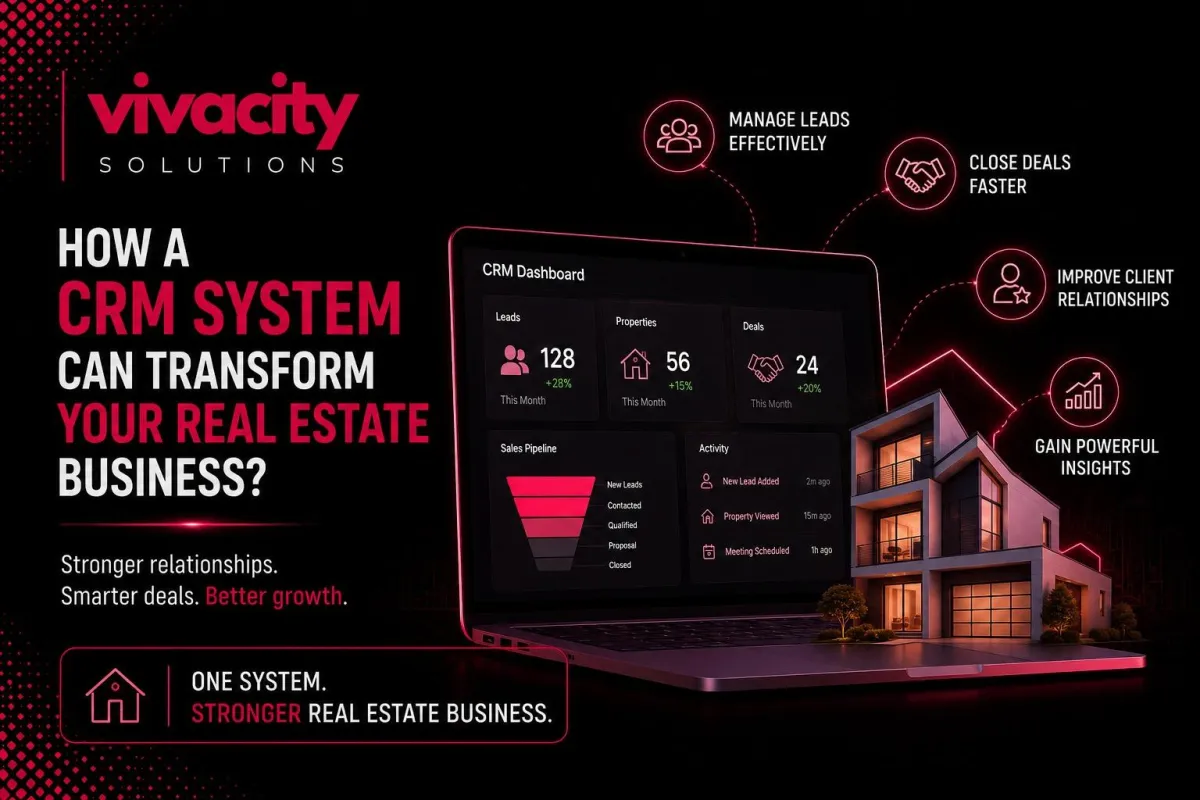
How a CRM System Can Transform Your Real Estate Business
Here is a scene that plays out in real estate offices every single day.
An agent spends hours collecting leads from their website, Zillow, open houses, and referrals. They enter names into a spreadsheet. They set reminders to follow up. But the spreadsheet gets messy. Reminders get missed. A hot buyer calls on a Tuesday, but the agent is showing properties and forgets to log the conversation. Three weeks later, that buyer has purchased through another agent.
This is not a technology problem. It is a system problem.
The solution is a real estate CRM system.
Whether you are a solo agent, a small team, or a large agency, the right real estate CRM can completely change how you manage leads, close deals, and grow your business. Let me show you how.
Written by Michael Carter, real estate technology consultant with over a decade of experience helping agents and brokerages implement CRM systems that actually work.
What Is a CRM System for Real Estate?
A CRM system for real estate is a specialized customer relationship management platform built for the unique workflows of real estate professionals.
Unlike generic CRMs, a real estate CRM is designed to manage leads, properties, transactions, and client communications all in one place.
At its core, a real estate CRM system helps you answer three critical questions:
Which leads are most likely to buy or sell soon?
What is the next action I need to take with each client?
Which properties match each buyer's criteria?
Without a CRM, you are guessing. With one, you have clarity.
A CRM for realtors does much more than store contact information. It tracks every interaction, automates follow-up tasks, organizes property details, and provides real‑time insights into your sales pipeline. It turns chaos into order and guesswork into strategy.
New to CRM? Start with what is CRM and the types of CRM systems.
Why Do Realtors Need a CRM?
You might think, "I have used spreadsheets and my phone for years. Why change?"
The average real estate agent spends only about thirty percent of their time actually selling. The rest is wasted on administrative tasks: data entry, searching for client information, manually sending follow-ups, and trying to remember who wanted what. This is not just inefficient. It is expensive.
Another pain point is lead leakage. Studies show that nearly 40% of real estate leads never receive any follow-up. Why? Because agents are busy, leads fall through the cracks, and spreadsheets cannot send automatic reminders.
A real estate CRM platform solves this by automating lead capture and follow-up.
Then there is fragmented information. Your leads are in your email, your phone, your notebook, and your spreadsheet. Your property details are in another system. Your transaction documents are somewhere else. This fragmentation slows you down and increases errors.
Finally, scaling is nearly impossible without a system. With ten active leads, you can manage. With one hundred, you will drown.
For a broader look at the benefits of CRM automation, read CRM for service-based businesses.
How Does Real Estate CRM Software Transform Lead Management?
Lead management is the most important function of any real estate lead management software.
Leads come from dozens of sources: your website, Zillow, Realtor.com, open house sign‑in sheets, referrals, social media, and paid ads. Each lead requires capture, qualification, assignment, and follow-up.
A real estate CRM automates the entire process.
When a lead fills out a form on your website, the CRM automatically creates a new contact record. It captures name, phone number, email, and property preferences. Then it assigns a lead score based on how likely they are to buy soon.
Lead capture becomes effortless. No more manual data entry. No more lost sticky notes.
Lead qualification becomes systematic. Your CRM can ask qualifying questions automatically through forms or SMS. It tracks which properties a lead views on your website. Over time, the system builds a complete profile.
Lead assignment becomes automatic. If you work in a team, the CRM routes leads to the right agent based on territory, property type preference, or availability.
Lead tracking gives you full visibility. You can see every interaction with every lead. This visibility is impossible with spreadsheets.
For more on automation, explore CRM automation tools and CRM integration.
How Can You Automate Follow‑Ups and Nurture Leads?
Slow or inconsistent follow‑up is the number one reason agents lose deals.
A study by the National Association of Realtors found that agents who respond to leads within five minutes are nine times more likely to convert them than those who respond after thirty minutes.
With CRM automation, you can set up automated follow‑up sequences that trigger the moment a lead comes in.
An immediate text message: "Thanks for reaching out! I will call you shortly."
An email with your latest listings.
A task for you to call within one hour.
Lead nurturing is another superpower. Not every lead is ready to buy or sell today. Many are months or even years away. Without a system, those leads go cold.
With a real estate CRM, you place them into nurture campaigns. Automated emails with market updates, new listings, and buying tips. Occasional texts. Birthday wishes. These small touches keep you top of mind until the lead is ready to act.
Automated follow‑ups also reduce your mental load. The CRM creates a task for you. When you complete it, you log the outcome, and the system schedules the next follow‑up automatically.
SMS automation is particularly powerful in real estate. A CRM with SMS capabilities can send automated text messages, respond to basic questions, and even schedule showings without you touching your phone.
For a deeper look, read CRM and marketing automation.
What Does Deal Management Look Like in a Real Estate CRM?
Real estate is a business of deals. You have buyers looking for homes, sellers listing properties, and a long cycle from first contact to closing.
A real estate deal management software organizes every deal into a visual sales pipeline. You can see at a glance which leads are in "new inquiry," "property showings," "offer negotiation," or "closing."
When you open a deal inside your real estate CRM, you see everything: contact information, property preferences, all communication history, scheduled showings, offers made, documents signed, and next steps.
Transaction management becomes streamlined. Your CRM can track every task: ordering inspections, scheduling appraisals, coordinating with title companies, and sending disclosures. It sets deadlines and sends reminders.
Sales cycle management improves because you can see where deals get stuck. Are leads dropping off after the first showing? Maybe your follow‑up needs work. Are offers stalling at negotiation? Data from your CRM tells you exactly where to focus.
How Does a CRM Help with Property Management?
If you also manage rental properties, a property management CRM is a game‑changer.
A real estate CRM system can maintain a complete real estate property database. For each property, you store address, price, bedrooms, bathrooms, photos, virtual tours, and notes.
Property listings management becomes easy. Your CRM can automatically syndicate listings to Zillow, Realtor.com, and your own website. When a property sells, the CRM updates everywhere automatically.
For property managers specifically, a CRM helps with:
Tenant management – storing lease dates, rent amounts, and contact information.
Maintenance request tracking – logging issues and assigning vendors.
Lease renewal reminders – automated alerts before leases expire.
Some CRM for property management solutions also integrate with accounting software to track rent collection and security deposits.
For buyer matching, the CRM can send automatic alerts when a new listing matches a buyer's criteria. This keeps buyers engaged without manual effort.
Property sales tracking gives you insight into your inventory. How long has each listing been on the market? What is the average days on market for your agency?
See how automation handles property workflows in CRM automation services and CRM workflow automation.
Can a CRM Work for Real Estate Investors?
Yes. Real estate investors have unique needs that a real estate CRM can address.
Investors track properties differently from traditional agents. They care about cap rates, cash flow, return on investment, and holding periods.
A good real estate CRM for investors allows you to:
Store property financials (purchase price, rehab costs, after‑repair value).
Track potential deals from wholesale sources, auctions, or direct mail.
Manage a pipeline of "flips," "rentals," and "fix‑and‑holds."
Automate follow‑up with private lenders or hard money partners.
Investors often work with multiple partners: contractors, property managers, and title companies. A CRM centralizes all those relationships.
Some advanced real estate CRM platforms offer portfolio dashboards that show overall equity, cash flow projections, and tax implications.
What Key Integrations Should a Real Estate CRM Have?
A real estate CRM does not work in isolation. It must integrate with the tools you already use.
Email integration – Send and receive emails directly from the CRM. Every email is automatically logged against the contact record.
SMS integration – Two‑way texting from the CRM. Send mass texts about new listings or have one‑on‑one conversations.
Document flow automation – Connect to e‑signature tools like DocuSign or HelloSign. Contracts and disclosures are sent, signed, and stored without leaving the CRM.
Calendar integration – Sync showings, appointments, and open houses with Google or Outlook.
MLS/IDX integration – Automatically import property listings from your local Multiple Listing Service. Keep property data current without manual updates.
Lead source integration – Connect to Zillow, Realtor.com, Facebook Lead Ads, and your website form plugins.
For comprehensive integration strategies, read CRM integration and CRM integration mistakes.
How Does Mobile CRM Support Field Sales?
Real estate is a mobile profession. You are not sitting at a desk.
A mobile CRM gives you full access to your database from anywhere.
In the car, check a lead's history before calling.
At a showing, log notes instantly.
At an open house, capture new leads by scanning business cards or typing names into your phone.
Field sales management becomes easier because your CRM is always with you. You can update deal stages, schedule follow-ups, send emails, and even make calls directly from the mobile app.
Real‑time communication with buyers and sellers happens faster. When a new listing matches a buyer's criteria, you can text them immediately from your mobile CRM.
For agents who work in teams, mobile CRM also enables collaboration. You can see which leads your teammates are working on, assign tasks, and share property notes without ever sitting at a computer.
Read more about advanced CRM capabilities in How Generative AI Is Transforming Modern CRM Systems and generative AI in CRM.
What Reporting and Dashboards Matter Most?
You cannot improve what you do not measure. A real estate CRM provides reports and dashboards that turn raw data into actionable insights.
Sales performance tracking – Shows exactly how each agent is performing: leads contacted, showings scheduled, offers made, deals closed.
Lead conversion analysis – Tells you which lead sources are most valuable. Allocate your marketing budget accordingly.
Revenue growth tracking – Connects sales activity to actual revenue. See commission earned by agent, property type, or time period.
Real estate analytics – Helps with forecasting. Based on your current pipeline, how many deals are likely to close this quarter?
Customer insights – Reveal patterns. Which buyer profiles purchase quickly? Which seller profiles negotiate hardest? Use these insights to refine your approach.
For more data‑driven decision making, read CRM Features.
How to Choose the Right Real Estate CRM
Now, let me help you answer how to choose a real estate CRM.
Step 1 – List non‑negotiable features. For most agents, must‑haves include lead capture, automated follow‑ups, deal pipeline, property listings, mobile access, and reporting.
Step 2 – Consider your budget. Prices range from free plans for solo agents to hundreds per month for enterprise platforms.
Step 3 – Test usability. A powerful CRM is useless if your team will not use it. Sign up for free trials. Have your agents click around.
Step 4 – Check integration options. Does the CRM integrate with your email, calendar, website, and MLS?
Step 5 – Evaluate customer support. Look for vendors with live chat, phone support, and a knowledge base.
Step 6 – Read reviews. See what agents say about the best real estate CRM on G2 and Capterra.
Step 7 – Start with a pilot. Choose one agent or team to use the CRM for thirty days. Measure results. Then roll out.
Ready to choose? Explore CRM Development Partner, CRM vs ERP, and CRM automation services.
Final Thought
A CRM system for real estate is not just another piece of software. It is the operating system for your business.
It turns messy lead lists into organized pipelines. It converts forgotten follow‑ups into closed deals. It gives you visibility into every buyer, seller, property, and transaction.
The agents and agencies that adopt a real estate CRM will outpace those who rely on spreadsheets and memory. They will respond faster, nurture better, and close more.
Do not wait until you lose another lead to a competitor. Start evaluating real estate CRM platforms today.
Transform your real estate business by integrating CRM with Marketing Automation Tools. Also, check CRM-ERP Integration and CRM integration mistakes.
FAQs
What is a CRM system for real estate?
A CRM system for real estate is specialized software that helps realtors and agencies manage leads, track property transactions, automate follow-ups, and nurture client relationships throughout the sales cycle.
How does a CRM help real estate agents?
It automates lead capture, nurturing, deal tracking, and client communication. Agents stay organized, respond faster, and close more deals.
What features should a real estate CRM have?
Lead management, deal management, property listings, automated follow-ups, mobile access, reporting, document automation, and email/SMS integration.
Is cloud-based real estate CRM better?
Yes. It allows access from anywhere on any device – essential for field sales and real-time communication.
How to choose the best real estate CRM?
Consider team size, budget, must-have features, mobile access, integrations, and support. Test free trials.
How does a CRM help with real estate lead tracking?
It automatically captures leads from multiple sources, assigns scores, tracks every interaction, and schedules follow-up tasks.
What is the difference between a CRM and property management software?
A CRM focuses on client relationships and deal management. Property management software handles tenant leases, rent collection, and maintenance. Some platforms combine both.
Can a CRM work for real estate investors?
Yes. Investors can track property financials, deal pipelines, flips, rentals, and partner relationships.
