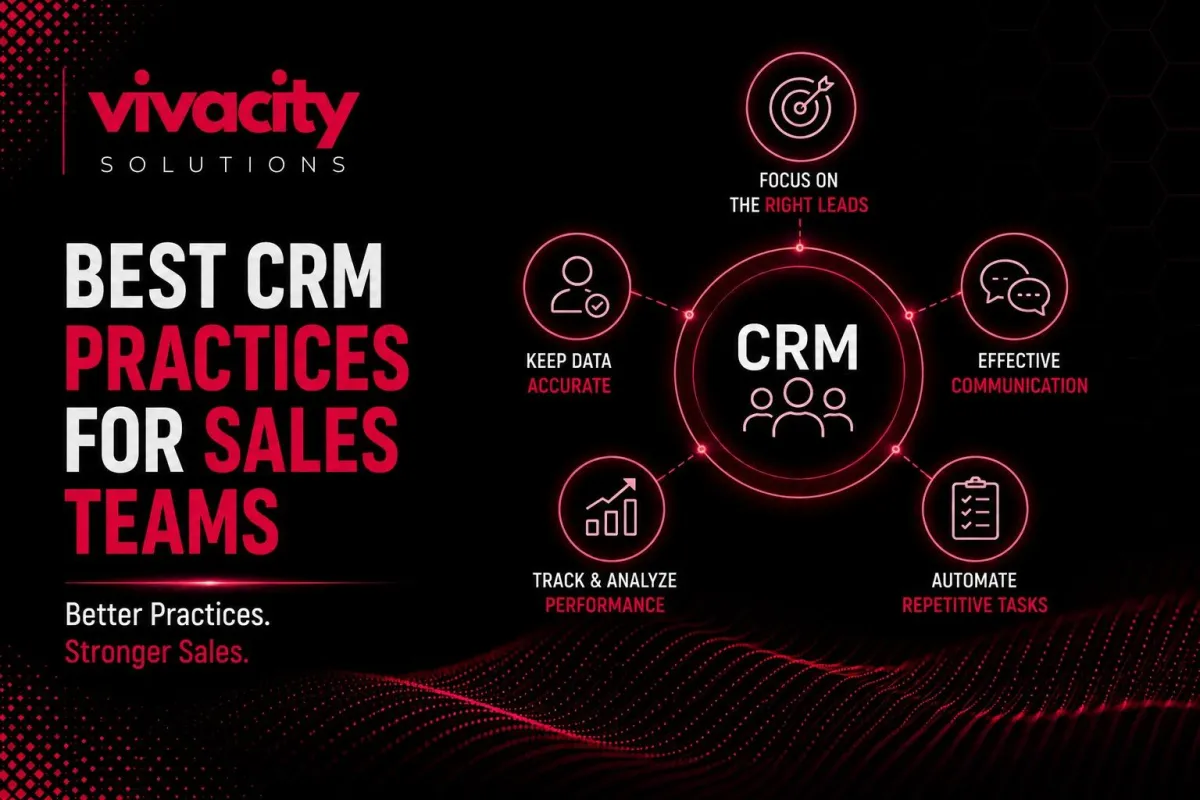
Best CRM Practices for Sales Teams: Boost Pipeline
Here is a scene I see in sales teams every day. Reps make calls, send emails, and update spreadsheets. Managers ask for forecasts. Everyone works hard. Yet deals fall through, forecasts are wrong, and nobody knows why. The problem is not effort. It is the lack of a system.
A CRM system gives you that system. But simply buying customer relationship management software does not guarantee success. You need CRM best practices that turn your CRM software into a revenue engine.
What are the most important CRM best practices for sales teams?
Before we dive deep, let
me answer this directly. The most effective practices fall into seven areas.
This guide walks you through each of these CRM best practices with real‑world examples. Whether you are a startup or an enterprise, these principles will transform how your sales team operates.
Written by Michael Vivacity, CRM Strategy Lead at Vivacity Solutions. I have helped over fifty sales teams implement CRM best practices that increased win rates by an average of 28%.
What Is a CRM and Why Best Practices Matter
Before you can apply CRM best practices, you need a solid grasp of what a CRM system actually does. At its core, customer relationship management software helps you store, organize, and act on customer information. But that is just the beginning.
When you follow CRM best practices, your CRM software becomes the single source of truth for your entire sales process. Every lead, every email, every call, every deal stage lives in one place. Your team stops wasting time searching for information and starts selling.
Understanding what is CRM is the first step. But how to use CRM effectively is what separates high‑performing sales teams from the rest. A CRM strategy that aligns with your sales process will drive revenue growth and customer retention.
If you are new to this space, exploring CRM Features that will benefit your business and types of CRM systems can help you choose the right platform. Understanding CRM vs ERP will clarify how a CRM fits into your broader business technology stack.
Centralize Lead Management from Every Channel
The first CRM best practice is simple but powerful. Every single lead your sales team works on must live inside your CRM software. No exceptions.
When you centralize CRM lead management, you stop losing leads in inboxes, sticky notes, or personal spreadsheets. A lead from a web form, a LinkedIn message, a trade show conversation, or a referral all go into the same CRM system.
Centralization enables CRM activity tracking. You can see exactly when a lead was created, who contacted them last, and what was discussed. This visibility prevents duplicate work and ensures no lead falls through the cracks.
For B2B sales teams with long cycles, centralization also preserves context. If a lead speaks to three different reps over six months, the next rep sees the full history. No one asks, "Sorry, can you remind me what we talked about?"
To achieve this, use CRM integrations with your website forms, chat tools, and social media. Many teams also integrate their CRM software with marketing automation platforms to capture leads from email campaigns. You can read more about CRM and marketing automation to see how this works in practice.
Implement Lead Scoring and Lead Qualification
Not all leads are ready to buy. Some need nurturing. Some are tire‑kickers. Some are ready to sign today. CRM lead scoring helps you tell the difference.
CRM lead scoring assigns points to leads based on behavior and demographics. A lead who visits your pricing page gets twenty points. A lead who opens three emails gets ten points. A lead from a target industry gets fifteen points. When a lead reaches a threshold, they become sales qualified and move to your CRM sales pipeline.
CRM lead qualification is the process of deciding whether a lead is worth pursuing. Without scoring, reps waste hours on low‑intent prospects. With scoring, they focus on the hottest leads first. This is one of the most impactful CRM best practices for sales productivity.
Advanced CRM software uses AI for predictive scoring. The system learns from historical data, which behaviors actually predict a purchase. This is how generative ai is transforming modern crm systems capability is, becoming a game-changer.
Master CRM Sales Pipeline Management
Your CRM sales pipeline is the visual representation of every deal in progress. CRM sales pipeline management is the practice of tracking deals through stages like New Lead, Contacted, Qualified, Proposal, Negotiation, and Closed Won.
One of the most overlooked CRM best practices is defining your pipeline stages clearly. Every stage should have entry and exit criteria. For example, a deal moves from "Proposal" to "Negotiation" only after the proposal is sent and the prospect has responded.
Once your CRM sales funnel is defined, use it religiously. Every deal must be in a stage. Every stage update should be logged. When a deal stalls, the CRM system can alert the manager.
CRM sales pipeline management also helps with deal management across your team. You can see total pipeline value, average deal size, and win rates by stage. This visibility is essential for sales forecasting.
For deeper pipeline optimization, you might explore CRM pipeline management software that offers advanced analytics. And if you work with service‑based businesses, check out CRM for service-based businesses for industry‑specific tips.
Automate Repetitive Sales Tasks
Sales teams waste hours on manual data entry, follow‑up reminders, and task creation. CRM automation eliminates this waste. It is one of the highest‑value CRM best practices you can adopt.
CRM workflow automation lets you create rules that trigger actions automatically. When a lead fills out a form, the CRM can create a deal, assign it to a rep, and schedule a follow‑up task. When a deal moves to "Proposal Sent," the CRM can send a thank‑you email and create a reminder for three days later.
CRM automation tools also power lead nurturing. Instead of manually sending a sequence of emails, you build it once in the CRM system, and it runs forever. Leads get the right message at the right time, without any human effort.
For advanced teams, CRM automation services can help design complex workflows that integrate with your email, calendar, and even billing systems. And if you want to connect your CRM to other tools, look into CRM integration and what is crm integration.
To see automation in action across marketing and sales, read Integrating CRM with Marketing Automation Tools.
Keep CRM Customer Data Clean and Consistent
Dirty data destroys CRM best practices. Duplicate records, missing fields, and outdated information lead to bad decisions and frustrated reps.
CRM data management should be an ongoing discipline, not a one‑time cleanup. Schedule weekly or monthly audits. Deduplicate contacts. Standardize naming conventions (for example, always use "ABC Corp", not "ABC Corporation"). Fill critical missing fields like phone number and industry.
CRM customer data is only valuable if it is accurate. When your data is clean, CRM customer segmentation becomes powerful. You can group customers by industry, purchase history, or engagement level. Segments enable targeted outreach and personalized marketing.
CRM data management also includes data enrichment. Many CRM systems can automatically pull missing information from public databases. This saves your reps' research time.
For enterprise teams, CRM data management best practices might involve data governance policies and regular training. And if you are integrating your CRM with an ERP, read CRM-ERP Integration to understand how data flows between systems.
Use CRM Reporting and Forecasting to Drive Decisions
CRM reporting turns raw data into actionable insights. CRM analytics answers questions like: Which lead sources produce the most closed deals? What is our average sales cycle length? Which reps have the highest win rates?
CRM forecasting uses historical conversion rates and current pipeline value to predict future revenue. This is far more accurate than asking reps, "What do you think you will close?"
One of the most powerful CRM best practices is to review your CRM reporting weekly. Look for trends. Are deals getting stuck in a particular stage? Is the average deal size shrinking? Is forecast accuracy improving or declining?
CRM reporting also helps with sales performance coaching. Instead of guessing why a rep is underperforming, you look at their pipeline. Are they generating enough leads? Are they moving deals quickly? Are they qualifying effectively? Data replaces opinion.
To build effective dashboards, explore CRM Features that focus on analytics. And if you are implementing a CRM strategy for the first time, consider CRM implementation services or CRM consulting services to get started right.
Train Your Team and Continuously Improve Your CRM Strategy
The best CRM software in the world fails if your team does not use it. How to use CRM effectively must be part of your onboarding and ongoing training.
CRM best practices for training include: live, hands‑on sessions; quick‑reference guides; recorded video tutorials; and a dedicated CRM administrator or power user who can answer questions.
CRM adoption is not a one‑time event. As your CRM system evolves and your sales process changes, retraining is essential. Monthly lunch‑and‑learn sessions keep best practices top of mind.
Your CRM strategy should also evolve. What worked six months ago may not work today. Review your CRM implementation regularly. Are your pipeline stages still accurate? Are your automation workflows firing correctly? Is your CRM customer service software integrated with support?
How CRM improves sales performance is directly tied to how well your team uses it. A CRM that sits empty is a waste of money. A CRM that is loved and used daily is a competitive weapon.
For ongoing support, you might need a CRM Development Partner or CRM Services that include training and maintenance. And if you work with real estate or other specialized industries, read How a CRM Can Change Your Real Estate Business for tailored advice.
Common CRM Implementation Mistakes and How to Avoid Them
Even with the best intentions, CRM integration can go wrong. Here are common mistakes and how to avoid them using CRM best practices.
Mistake: Not cleaning data before migration. Dirty data spreads across your new CRM system. Fix: Audit and deduplicate before importing.
Mistake: Trying to automate everything at once. This leads to broken workflows and frustration. Fix: Start with one automation, test it, then expand.
Mistake: Ignoring user training. Your team will revert to spreadsheets. Fix: Invest in live training and ongoing support.
Mistake: No ongoing maintenance. The CRM system becomes outdated. Fix: Assign a CRM owner and schedule quarterly reviews.
Mistake: Poor CRM integration with other tools. Data silos persist. Fix: Plan CRM integrations carefully and test them thoroughly.
For a complete list, read CRM integration mistakes to avoid common pitfalls when connecting your CRM to other business applications.
How to Implement a CRM Strategy for Your Sales Team
Now, let me walk you through a step‑by‑step CRM integration with marketing automation tools strategy based on CRM best practices.
Map Your Sales Process
Before you configure any software, document every stage a deal goes through from first contact to closed won. This map becomes the blueprint for your CRM sales pipeline.
Clean Your Existing Data
Export your current leads and customers. Remove duplicates. Standardize formats. Fill missing fields. Clean data is the foundation of CRM customer data management.
Choose Your Crm Softwar
Choose your CRM software or upgrade your existing system. Evaluate options based on your pipeline, automation needs, and budget. Many teams start with CRM tools like HubSpot or Salesforce. Larger teams often need custom solutions.
Configure Pipeline Stages And Fields
Set up your stages, required fields, and validation rules. This ensures data consistency.
Build Basic Automation Workflows
Start with lead assignment and follow‑up reminders. Then add nurturing sequences.
Train Your Team
Run live workshops. Provide documentation. Set up a support channel for questions.
Launch With A Pilot Team
Test with a small group, gather feedback, then roll out to the whole sales organization.
Monitor And Refine
Review CRM reporting weekly. Adjust workflows, pipeline stages, and training as needed.
For complex implementations, CRM implementation services or CRM consulting services can save time and prevent mistakes. And if you need custom development, explore CRM Development Services and CRM Development Partner options.
Final Thought
CRM best practices are not complicated, but they require discipline. Centralize your leads. Score and qualify them. Manage your pipeline visually. Automate repetitive tasks. Keep your data clean. Use reporting to forecast and decide. Train your team continuously.
When you follow these CRM best practices, your customer relationship management software becomes more than a database. It becomes the engine that drives sales productivity, revenue growth, and customer retention.
Your competitors are already using these practices. Do not let them outpace you. Start today. Pick one practice from this guide and implement it this week. Then add another. Within a month, you will see the difference.
For ongoing success, explore CRM Services that include consulting, implementation, and support. And remember that how to use CRM effectively is a journey, not a destination.
FAQs
What are CRM best practices for sales teams?
CRM best practices for sales teams include centralizing lead management, automating lead scoring and qualification, using sales pipeline management, maintaining clean customer data, leveraging CRM reporting for forecasting, and training the team continuously.
How to implement a CRM strategy for sales?
Implement a CRM strategy by mapping your sales process, cleaning existing data, configuring pipeline stages, training your team, setting up automation workflows, and continuously reviewing CRM analytics.
What is CRM sales pipeline management?
CRM sales pipeline management is the process of tracking deals through stages like lead, qualified, proposal, and closed won. It provides visibility into deal health and helps forecast revenue.
How does CRM improve sales performance?
CRM improves sales performance by replacing guesswork with data. It automates follow-ups, scores leads, provides pipeline visibility, enables accurate forecasting, and identifies bottlenecks.
What is CRM lead scoring?
CRM lead scoring assigns points to leads based on behavior and demographics. High‑scoring leads are ready for sales outreach; low‑scoring leads go into automated nurture tracks.
How often should I clean my CRM data?
Schedule data audits at least monthly. Some teams do weekly checks for critical fields. Clean data is essential for accurate reporting and forecasting.
What is the difference between CRM and sales pipeline management software?
CRM is a broader platform that includes contact management, lead management, automation, and reporting. Sales pipeline management software focuses specifically on tracking deals through stages. Most modern CRMs include pipeline management as a core feature.
Can small sales teams benefit from CRM best practices?
Absolutely. Even a team of two or three reps benefits from centralization, lead scoring, and pipeline visibility. Many CRM software options offer affordable plans for small businesses.
How long does it take to see results from CRM best practices?
Some benefits, like centralized lead management, are immediate. Others, like improved forecasting, may take a few months as you build historical data.
What Is The Best Crm Software For Sales Teams?
The best depends on your team size, budget, and needs. Popular options include HubSpot (small to mid), Salesforce (enterprise), Zoho (affordable), and custom solutions from Vivacity Solutions.
