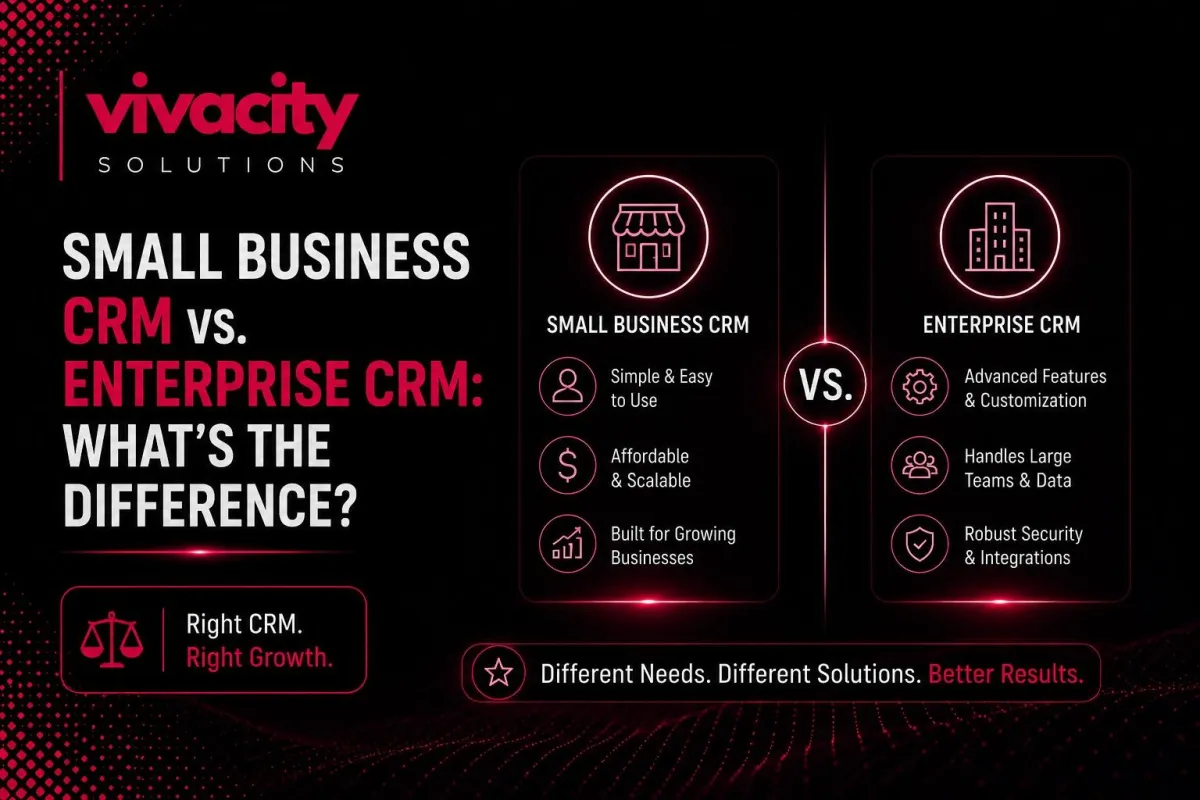
Small Business CRM vs. Enterprise CRM: What's the Difference?
Here is a mistake I see business owners make all the time.
They start with a free or low‑cost CRM for small businesses. Their company grows. They hire more salespeople. They add marketing and support teams. Suddenly, their simple CRM feels like a straitjacket. So they rush to buy an expensive enterprise CRM, thinking "bigger must be better."
But then the nightmare begins. The implementation takes nine months. The software is so complex that half their team refuses to use it. They are paying for features they never touch. And they secretly miss their old, simple system.
The truth is, small business CRM vs. enterprise CRM is not about which one is "better." It is about which one fits your business size, complexity, and growth trajectory. This guide will help you understand the key differences so you can choose the right CRM software, without overpaying or overcomplicating
What Is a Small Business CRM?
A small business CRM is a customer relationship management system designed for smaller teams, typically fewer than one hundred users. These CRM for small businesses prioritize ease of use, fast setup, and affordable pricing.
Most small business CRM solutions are cloud‑based (SaaS), meaning you pay a monthly subscription per user and access the system from any browser or mobile device. They come with pre‑built features for contact management, lead tracking, sales pipeline management, and basic reporting.
Examples you might recognize: HubSpot CRM, Pipedrive, Zoho CRM, Monday.com, and Salesmate. These platforms are built to get you up and running in days, not months.
Best CRM for small business options typically cost between $10 and $50 per user per month. Many offer free tiers for very small teams.
What Is an Enterprise CRM?
An enterprise CRM is a customer relationship management platform built for large organizations with hundreds or thousands of users. These systems handle massive data volumes, complex sales processes, multiple departments, and global operations.
Enterprise CRM software offers deep customization, advanced workflow automation, robust security, and compliance features (like HIPAA or GDPR). They often support on‑premise deployment or hybrid cloud models for companies with strict data governance requirements.
Well‑known enterprise CRM platforms include Salesforce Sales Cloud (Enterprise and Unlimited editions), Microsoft Dynamics 365, Oracle CX, and SAP C/4HANA.
Pricing for enterprise CRM starts around $75–$150 per user per month and can exceed $300 for premium tiers. However, the real cost is in implementation, customization, and training – often six figures or more.
New to CRM basics? Start with what is CRM and the types of CRM systems before diving into this comparison.
Key Differences
Let me break down the core distinctions between small business CRM vs. enterprise CRM across several dimensions.
User count – Small business CRMs work well for 1–100 users. Enterprise CRMs are built for 100–10,000+ users.
Deployment – Small businesses are almost always cloud‑based (SaaS). Enterprise offers cloud, on‑premise, or hybrid.
Implementation time – Small business: days to weeks. Enterprise: months to over a year.
Pricing – Small business: $10–$50/user/month. Enterprise: $75–$300+/user/month plus significant upfront services.
Customization – Small business: limited to pre‑built modules and fields. Enterprise: virtually unlimited with custom code and APIs.
Ease of use – Small business: designed for non‑technical users. Enterprise: requires dedicated administrators.
Support – Small business: standard email/chat. Enterprise: dedicated account managers and 24/7 support.
Integration – Small business: pre‑built connectors for common apps (Gmail, Mailchimp, Slack). Enterprise: custom API integrations with any system.
Feature Comparison: Contact Management to Advanced Analytics
Contact management is the foundation of any CRM system. Both small business and enterprise CRMs handle basic contact storage, but enterprise solutions add layers of complexity.
A small business CRM lets you store names, emails, phone numbers, and company information. You can add custom fields, but usually limited to a few dozen. Contact management software for small teams focuses on simplicity – you see everything on one screen.
An enterprise CRM, by contrast, supports complex data models. You can have multiple contact roles (decision maker, influencer, end user), hierarchical account structures (global parent with regional subsidiaries), and rich relationship mapping. Advanced contact management includes data stewardship, duplicate prevention rules, and automated data enrichment from third‑party sources.
Lead management is where the differences become stark. Small business CRMs provide basic lead tracking software – capture leads from web forms, assign to sales reps, and move through a simple pipeline. Lead management is typically linear.
Enterprise CRMs offer sophisticated lead management with scoring models using dozens of criteria, automatic routing based on territory and product line, and multi‑touch attribution. They also handle customer opportunity management across complex B2B sales cycles involving multiple stakeholders and lengthy negotiations.
Sales pipeline management in a small business CRM usually shows a single, linear pipeline. You can customize stages (e.g., "new lead," "contacted," "demo scheduled," "proposal sent," "closed won/lost"). Sales pipeline tracking is visual and intuitive.
Enterprise CRMs allow multiple concurrent pipelines for different product lines, regions, or sales motions. They support sales process optimization with mandatory fields at each stage, forecasting based on deal health, and machine learning predictions. Sales forecasting tools use historical data and real‑time activity signals.
Reporting and analytics differ dramatically. Small business CRMs provide pre‑built sales reporting dashboards: revenue by rep, pipeline value, conversion rates. You can usually filter by date range and rep.
Enterprise CRMs offer reporting and analytics with custom dashboards, ad‑hoc query builders, and business intelligence connectors. You can drill into any dimension, region, product, industry, sales rep, and create complex calculated fields. Sales analytics includes cohort analysis, win/loss reasons, and sales cycle duration trends.
Workflow and task automation are available in both, but the enterprise goes further. A small business CRM offers basic workflow automation: when a lead fills a form, send a welcome email and create a task. Task automation covers simple reminders.
Enterprise CRMs provide business process automation with conditional logic, parallel approvals, multi‑step sequences, and error handling. You can automate contract generation, territory reassignment, and complex approval chains. Workflow automation scales to thousands of active rules.
Marketing automation capabilities also differ. Small business CRMs often integrate with third‑party marketing automation software like Mailchimp or ActiveCampaign. They handle basic email sequences.
Enterprise CRMs include built‑in marketing automation or seamless integration with enterprise platforms like Marketo or Eloqua. They support lead scoring, dynamic content, and multi‑channel campaigns across email, social, and ads.
For deeper automation insights, explore CRM automation tools and CRM and marketing automation.
Pricing and Subscription Models
CRM pricing is one of the clearest differences between small business CRM and enterprise CRM.
Small business CRM pricing is straightforward. Most vendors offer tiered CRM subscription plans based on features and user count. Typical prices:
Free tier: limited features, often up to 10 users (HubSpot, Zoho).
Basic paid tier: $10–$20/user/month.
Professional tier: $30–$50/user/month.
Enterprise tier (within small business vendors): $60–$100/user/month, but still simpler than true enterprise.
You pay monthly or annually. No long‑term contracts required. Implementation is usually self‑service and free.
Enterprise CRM pricing is far more complex. List prices for enterprise CRM software start at $75–$150/user/month for standard editions and go to $300+/user/month for premium features (e.g., Salesforce Unlimited). But the real cost comes from:
Implementation services: $50,000–$500,000+ for large deployments.
Customization and development: hourly or fixed project fees.
Integration with existing systems (ERP, marketing automation, customer service).
Data migration from legacy systems.
Training and change management.
Ongoing administration and support.
Many enterprise CRM deals are negotiated annually with volume discounts, but the minimum commitment is usually one year, often three.
CRM pricing also includes hidden costs: additional storage, API call overages, premium support, and add‑on modules. Always ask for a total cost of ownership calculation.
Deployment: Cloud vs. On‑Premise vs. Hybrid
CRM deployment is a major decision point.
Small business CRM is almost always cloud‑based CRM (SaaS). You access it via a web browser or mobile app. The vendor handles hosting, security, backups, and updates. You pay a monthly subscription. No IT infrastructure required.
Enterprise CRM offers three deployment options:
Cloud‑based (SaaS) – Same as small business but with enterprise‑grade security and uptime SLAs (e.g., Salesforce Cloud).
On‑premise CRM – You install the software on your own servers. You control data, security, and updates. Requires internal IT team. Examples: older versions of Microsoft Dynamics, SAP.
Hybrid – Some data on‑premise, some in the cloud. Used by companies with strict data residency requirements.
On‑premise CRM has higher upfront costs (hardware, licenses, IT staff) but may be required for regulatory compliance. Cloud‑based is more common now, even for enterprises, due to lower total cost and automatic updates.
Mobile CRM is essential for both. Small business CRMs offer mobile apps with core features. Enterprise CRMs provide full‑featured mobile access, sometimes with offline sync.
For integration strategies across deployment types, read what is crm integration.
Scalability and Customization
Scalability is where enterprise CRM truly justifies its cost.
A small business CRM scales to a certain point – usually a few hundred thousand contacts and up to 100 users. Beyond that, performance degrades, and features become limiting. You cannot run complex territory management, multi‑currency, or global compliance.
An enterprise CRM is built for business scalability. It handles millions of contacts, thousands of concurrent users, and global data distribution. It supports multi‑language, multi‑currency, and complex organizational hierarchies.
CRM customization is another gulf. Small business CRMs let you add custom fields, rename modules, and sometimes create simple custom objects. But you are limited by the vendor's framework.
Enterprise CRMs offer CRM customization at the code level. You can build custom applications on the platform (e.g., Salesforce's Apex), create custom user interfaces, and integrate with any API. This flexibility comes with complexity; you need developers and CRM administrators.
CRM adoption is easier with small business systems because they are intuitive. Enterprise CRMs require dedicated CRM training and change management. CRM adoption rate can be a challenge without proper support.
Integration Capabilities
CRM integration is necessary for both, but the depth differs.
Small business CRMs offer pre‑built connectors for popular business applications: Gmail, Outlook, Mailchimp, QuickBooks, Slack, Zoom. These are often plug‑and‑play. CRM integration for a small business takes hours.
Enterprise CRMs provide API integration platform capabilities. You can connect to any system – ERP, HRIS, billing, custom databases- using REST or SOAP APIs. CRM integration for enterprises often requires custom development or an iPaaS solution (e.g., MuleSoft, Workato). Integration projects can take months.
CRM integration for enterprise CRM also includes bidirectional sync with ERP systems (like SAP or Oracle) for real‑time inventory, pricing, and order management.
For more on integration, read Integrating CRM with Marketing Automation Tools and CRM-ERP Integration.
Security and Compliance
CRM data security is critical for both, but enterprise requirements are stricter.
Small business CRMs provide standard security: data encryption in transit and at rest, two‑factor authentication, and regular backups. They are generally compliant with GDPR and CCPA.
Enterprise CRMs offer advanced CRM data security: field‑level encryption, IP whitelisting, audit logs, role‑based access down to individual records. They support compliance with HIPAA, FINRA, FedRAMP, and other industry regulations. Many offer on‑premise CRM deployment for complete control.
Customer data management in enterprise includes data retention policies, anonymization, and legal hold features.
Implementation Time and Support
CRM implementation timelines differ massively.
A small business CRM can be set up in a day. You sign up, import your contacts via CSV, customize a few fields, and start using it. CRM setup is self‑service. CRM training consists of watching a few tutorial videos.
An enterprise CRM implementation typically takes 6–12 months. It involves project managers, business analysts, developers, and testing cycles. CRM implementation includes data migration from legacy systems, custom development, integration with dozens of applications, and user acceptance testing. CRM implementation support requires a dedicated partner or internal team.
CRM customer support also differs. Small business vendors offer email, chat, and community forums during business hours. Enterprise vendors provide 24/7 phone support, dedicated account managers, and on‑site consulting.
CRM adoption is easier with small businesses because the learning curve is shallow. Enterprise CRM often requires weeks of CRM training and ongoing CRM administrator oversight.
For implementation best practices, read CRM integration mistakes (to avoid).
How to Choose the Right CRM for Your Business
Use this 5‑step CRM software comparison framework.
Step 1 – Assess your current team size and growth projections
If you have under 20 users and expect to stay under 100 for the next 3 years, a small business CRM is likely sufficient. If you have 100+ users or plan to scale rapidly, evaluate enterprise CRM.
Step 2 – List your must‑have features.
Separate needs from nice‑to‑haves. Basic contact management, lead tracking, and sales pipeline are table stakes. Advanced reporting, custom workflows, and API access may push you toward enterprise.
Step 3 – Determine your budget
If your total budget is under $5,000/year, start with a small business CRM. If you can invest $50,000+ in implementation and $100+/user/month, enterprise is feasible.
Step 4 – Evaluate deployment preference
Most businesses today prefer cloud‑based CRM. Only choose on‑premise CRM if you have regulatory or data sovereignty requirements.
Step 5 – Request demos from 2‑3 vendors and run a pilot
Test with a small team for 30 days. Measure CRM adoption and productivity gains. Then decide.
For hands‑on help, explore Custom CRM Development, CRM Features, and CRM Development Partner guides.
Final Thought
The choice between small business CRM vs. enterprise CRM is not about which one is more powerful. It is about which one fits your current reality and near‑future growth.
Start small if you are a startup or a small team. The best CRM for a small business can serve you well for years. As you grow, you can migrate to an enterprise CRM; many vendors offer migration paths.
Avoid the trap of buying an enterprise system too early. The complexity and cost will drain your resources and frustrate your team. Conversely, do not cling to a small business CRM when you have outgrown it. The lost productivity and data fragmentation will hurt your business.
Choose wisely. Your customer relationship management system is the nervous system of your sales and marketing. Get it right, and everything else becomes easier.
Ready to explore your options? Read How Generative AI Is Transforming Modern CRM Systems, AI in customer relationship management, CRM automation services, and How a CRM can change Your Real Estate Business for industry‑specific insights. Also, check CRM vs ERP and CRM for service-based businesses.
FAQs
What is the difference between small business CRM and enterprise CRM?
The main difference lies in complexity, scalability, customization, pricing, and deployment. Small business CRM is simpler, affordable, and cloud‑based. Enterprise CRM offers advanced features, deep customization, on‑premise or hybrid deployment, and a higher cost.
Can a small business use enterprise CRM?
Technically, yes, but it is usually overkill. Enterprise CRM comes with high costs, long implementation times, and features that small teams don't need. It can slow down adoption and waste resources.
What is the best CRM for a small business?
The best depends on your needs. Popular options include HubSpot CRM (free), Pipedrive, Zoho CRM, and Monday.com. Look for ease of use, automation, and affordable pricing.
Is Salesforce an enterprise CRM?
Salesforce offers both small business (Salesforce Essentials) and enterprise editions (Sales Cloud Enterprise, Unlimited). It is widely used as an enterprise CRM due to its scalability, customization, and ecosystem.
How much does enterprise CRM cost?
Enterprise CRM typically starts at $75–$150 per user per month and can go up to $300+ per user per month for premium editions. Implementation, customization, and training add high upfront costs.
What is cloud‑based CRM?
Cloud‑based CRM (SaaS) means the software is hosted by the vendor and accessed via the internet. You pay a monthly subscription. No internal servers required.
What is on‑premise CRM?
On‑premise CRM is installed on your own servers. You control data, security, and updates. Requires internal IT staff. Higher upfront cost, but may be required for compliance.
How long does CRM implementation take?
Small business CRM: days to weeks. Enterprise CRM: months to over a year.
Do I need a CRM administrator?
For small business CRM, typically, any user can manage settings. For enterprise CRM, yes, you need a dedicated administrator or team.
Can I switch from small business CRM to enterprise CRM later?
Yes. Most enterprise vendors offer migration tools and services. Plan for a 3‑6 month transition.
